3.9.3. MODIFYING A MINIMUM NIGHT FLOW (MNF) ALARM
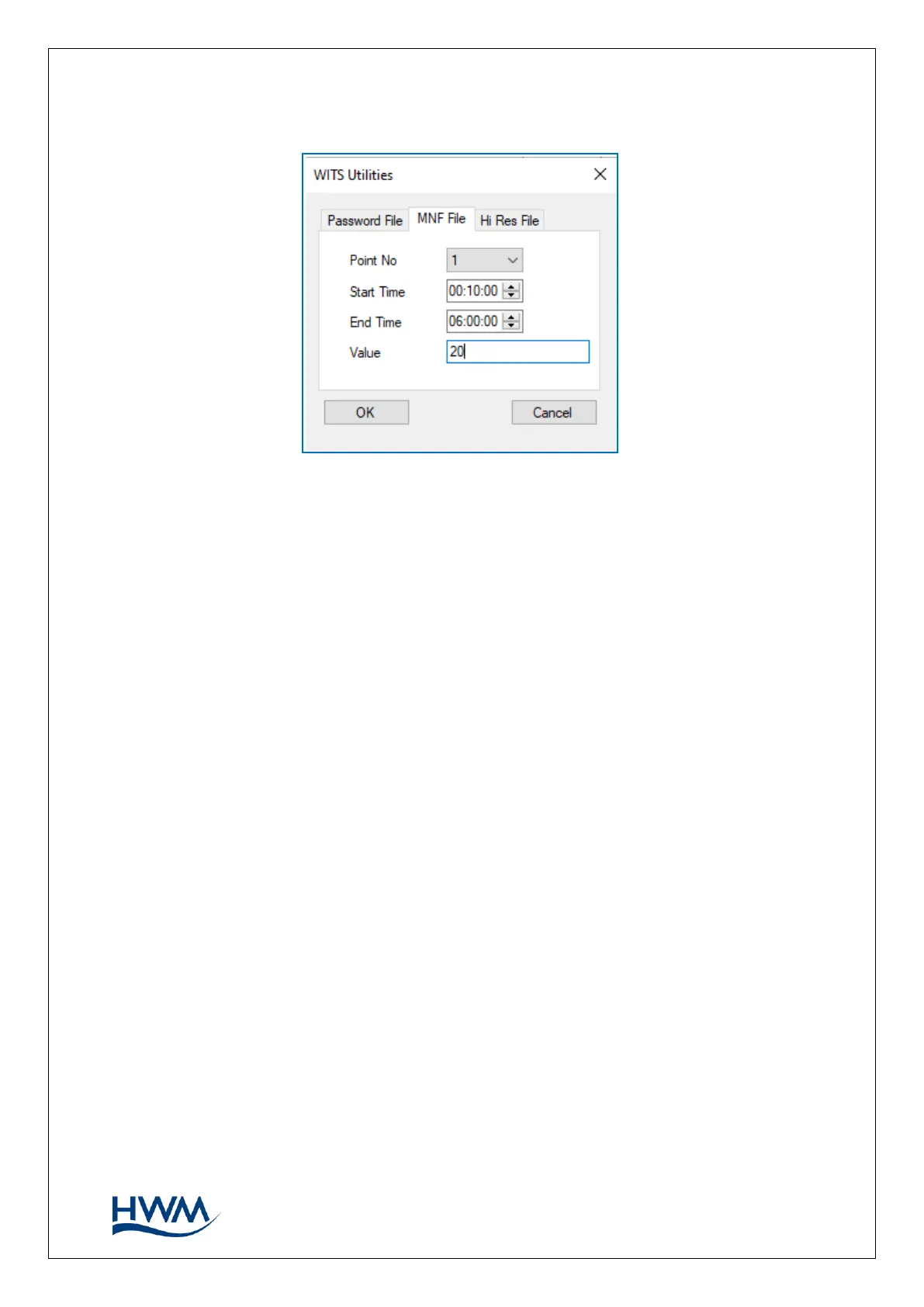
The ‘MNF File’ utility refers to the ‘Minimum Night Flow’ alarm. In summary, this alarm is
raised when the water flow does not drop below a threshold during an expected period
of low water consumption (typically during the night). The MNF utility allows the alarm
parameters to be changed remotely via the WITS master.
Select the ‘MNF file’ tab.
Select the channel that is required to be modified (using the “point no.” selector).
Add the time-window and (‘Value’) flow-rate threshold in the space provided. (Choose a
value of flow which will be reliably above what will usually be the minimum water
consumption rate).
A file with the name “ multilogmnf ” is created.



 To Next Page