17
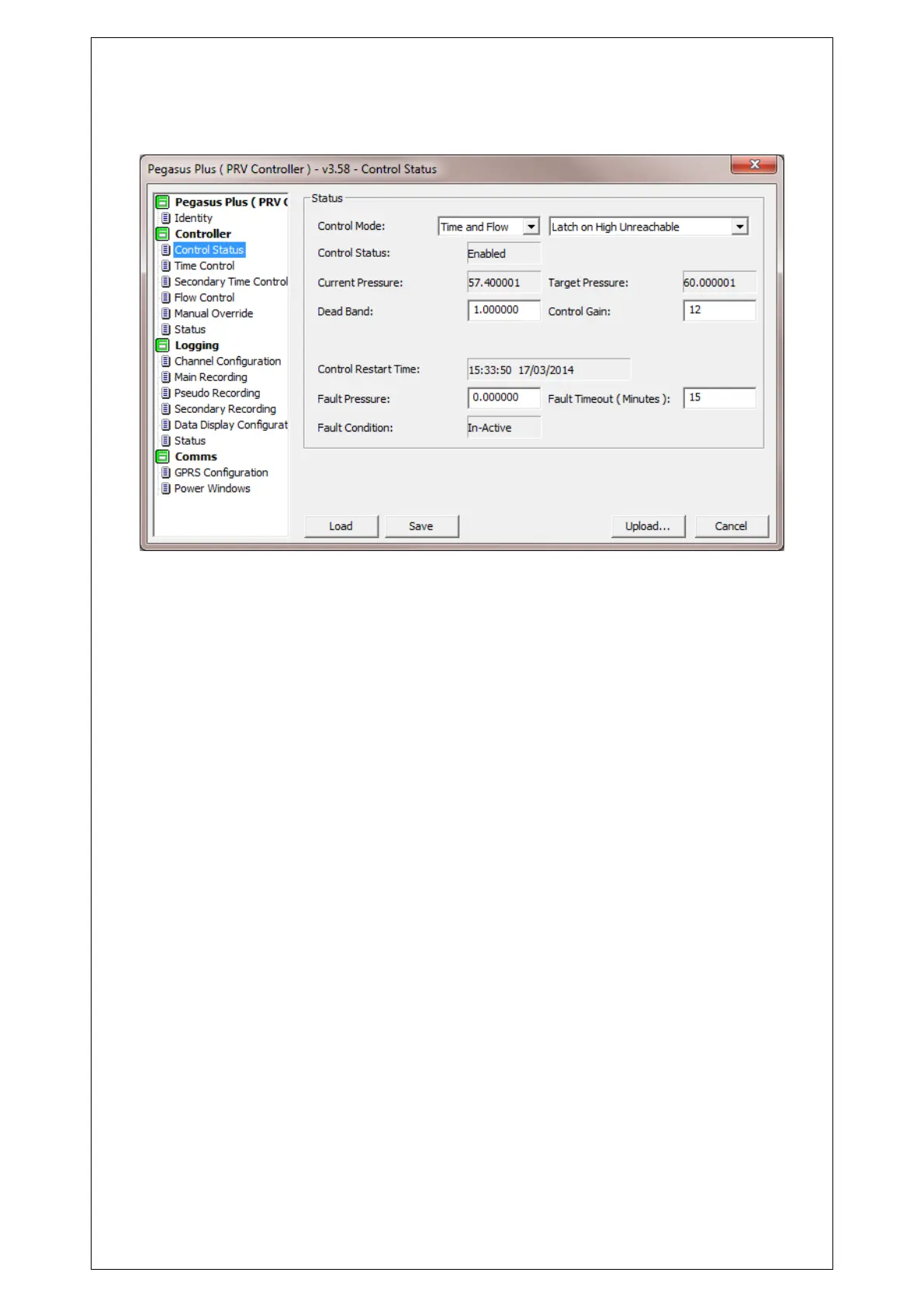
In the "State Control" can be set and view different controller parameters.
In the "Control Mode" to select from: None, Time, Flow or Time and Flow (making the
maximum pressure of the two).
In "Control Status" you can see if the controller is enabled and disabled.
Also you can see what the "Target Pressure" and "Current Pressure" downstream were when
Pegasus Plus was downloaded.
The "Dead Band" can set the tolerance with which the driver must follow the target
pressure. This value is given by + / - in meters water column. A typical value is 0.5 meters
"Gain Control" depends on the response time of the PRV.
Typical Gain Control = 10
These values, together with hysteresis are modified by the controller over time depending on
the difficulty you find to reach the target pressure.
This is intended to optimize the battery life of the controller.
In "Control Restart Time" will appear the date and time that the controller was reset last.
In "Pressure Fault" should set the pressure at which the controller will maintain if you see no
pulses in a certain time period of "Fault Timeout (Minute)". This option is used for flow control.
In "Failure Condition" you can see if the failure pressure is active or inactive.



 To Next Page