18
Once the configuration is complete, click “Save” to save logger configuration to the computer,
then click upload to programme the logger,
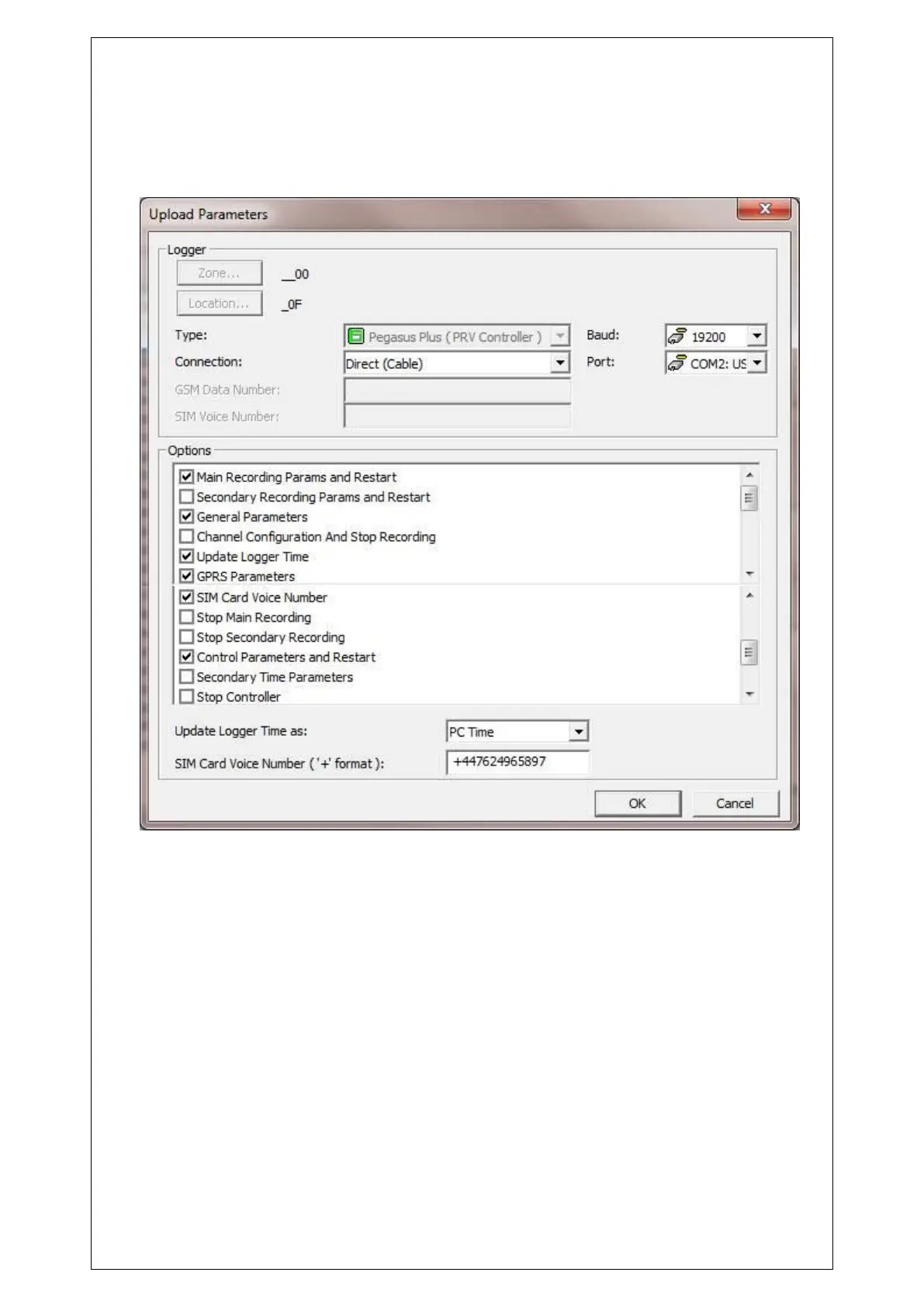
Click on “Advanced…” and select the tick boxes as below
If required “Secondary Time Parameters” can also be ticked.
Override Parameters should only be selected on it’s own, once the controller is in an “Active”
control state.



 To Next Page