4.OPERATION AND USE
1
2.1 Key function instruction
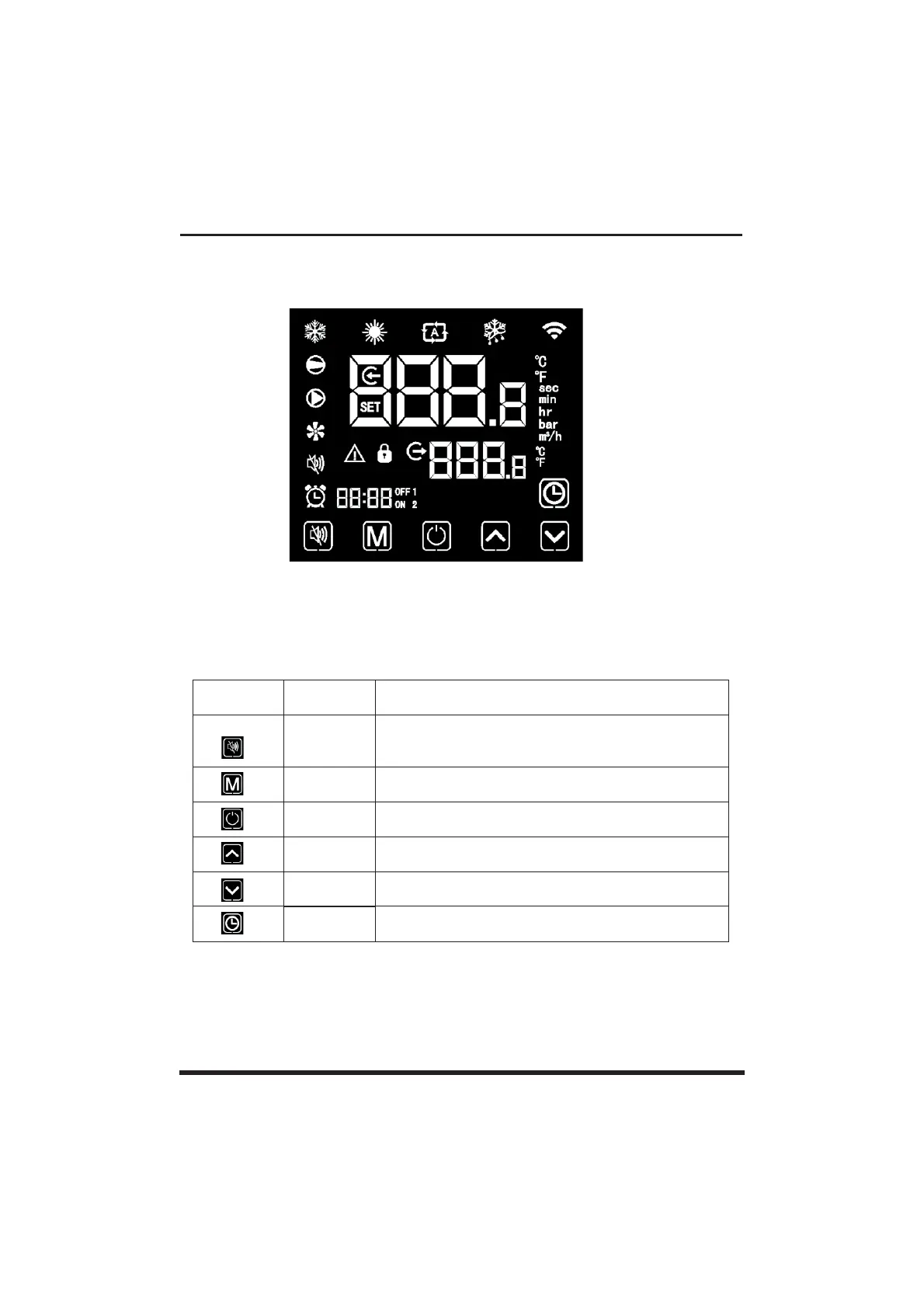
4.1.Interface display
Designation
Slient key
Mode key
On-off key
Up key
Down key
Clock key
When the unit runs heating under the heating mode or
the automatic mode, the silent key operation is effective
and used to enter or exit the silent mode with one click.
4.2.Key and icon function instruction
Key symbols
It is used to switch the unit mode, temperature setting,
and parameter setting.
It is used to carry out startup & shutdown, cancel current
operation,and return to the last level of operation.
It is used to page up, and increase variable value.
It is used to page down, and decrease variable value.
It is used as user clock, and to carry out timing setting.
Function



 To Next Page