Installation Manual 5.1.2
36
11.0 V-Star Installer Settings.
Installer settings that must be adjusted depending on
the parameters of the job are all accessible through the
Protostar thermostat. They are all password protected
to insure the end user doesn’t inadvertently change a
setting.
Some settings may refer to the compressor percentage.
See the chart in section 11.1.4 for a full scale listing of
the compressor precentage. As you can see from the
chart the compressor percentage is not the percentage
of the systems total capacity but the percentage the
compressor is being driven from minumum speed to
maximum speed.
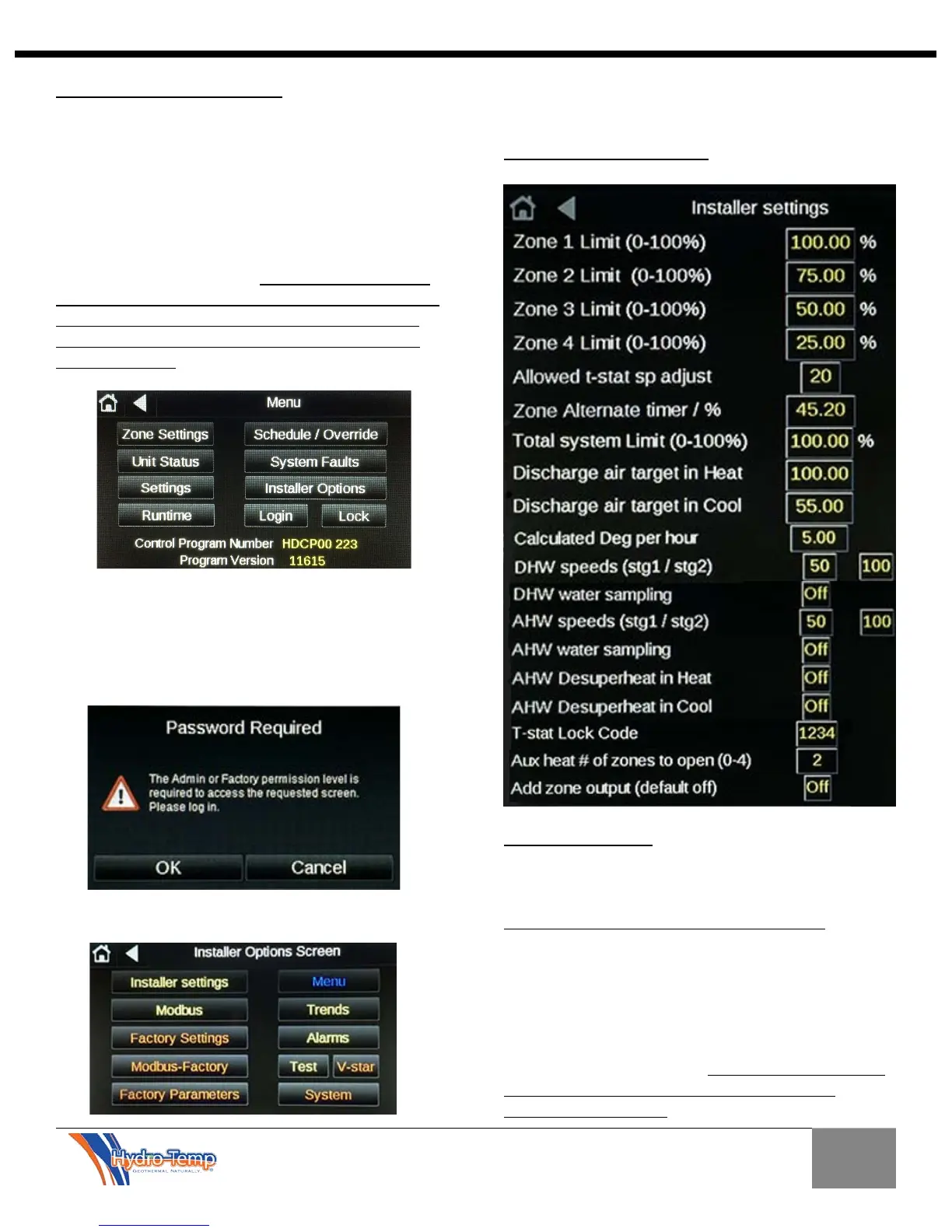
To access the Installer Options from the menu screen
press the installer options button. The password
required window will pop up. Press OK and enter your
dealer password.
This will take you to the Installer Options Screen.
Buttons in Red are factory settings and should not need
adjustment during install of the system.
11.1 Installer Settings Screen
11.1.1 Zone Limiting: There are 4 settings for zone
limiting, one for each zone. These four setting allow
you to set the amount in percentage a zone will allow
the compressor to run if it’s the only zone calling.
Zone limiting is used for limiting smaller zones. For
example a smaller zone set to 50% calling for heat with
no other zone calling will never allow the system to run
above 50% for that zone.
These limits will add together if two zones call for the
same mode at the same time, so if another zone set at
25% initiates a heating call, the system would then be
allowed to ramp up to 75%. See the Total system limit
section 11.1.4 for a chart to convert compressor
percentage to tonnage.


 To Next Page