Installation Manual 5.1.2
39
point. With this “off” the actual compressor speed will
be equal to the zone calling for the highest percentage.
If this is turned “on” each zone calling for the same
mode is added together and the compressor has no
choice but to run at that speed. It has been proven
most efficient leave this setting in the “off” mode.
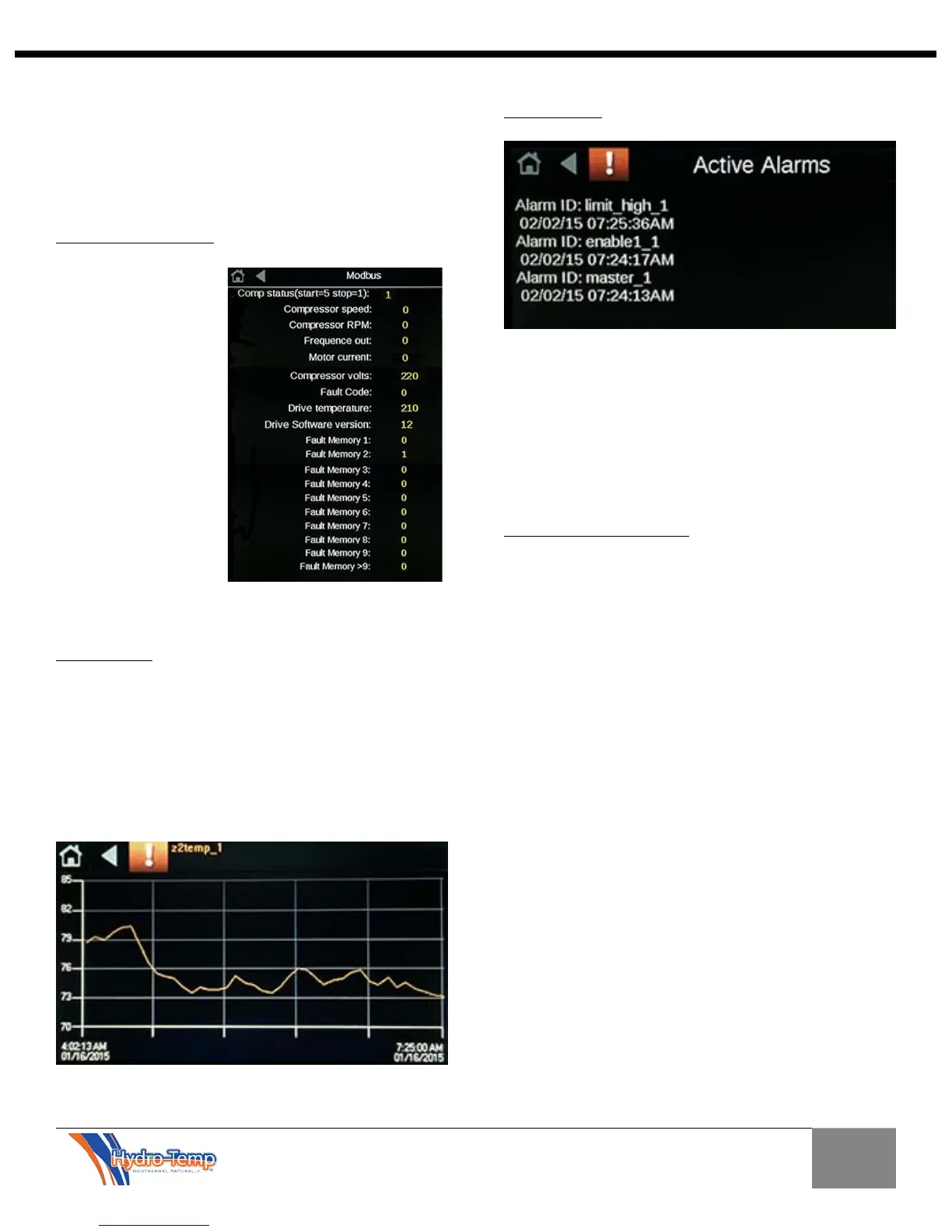
11.2.0 Modbus Screen
The Modbus Screen is
a display only screen
that shows detailed
information
pertaining to the V-
Star compressor drive.
This information is
read via Modbus
communications from
the drive. Examples
include: Compressor
start / stop status,
RPM, actual frequency
out, motor current,
fault codes, and drive
software version. This is an important diagnostic when
needed.
11.3.0 Trends
Trends of specific points are available. Trends will be
listed in alphabetical order and can be shown for a
selectable time frame. The trends are not available
without the installer password due to the complexity of
accessing and setting up the trends.
Shown here is a trend of the zone 2 temperature from
1/16/2015 @ 4:02 AM till 1/16/2015 @ 7:25 AM.
11.4.0 Alarms
All alarms are stored and viewable from the initial
factory power up. These alarms include all system
safeties and compressor drive failures. The alarms
panel will even log each time the master switch is
turned off. This diagnostic tool can prove to be in
valuable when trying to diagnose an intermittent
service issue.
11.5.0 Installer Test Mode
Test mode is available from the Installer Options
Screen.
Test mode was designed to start the variable speed
compressor at a minimum speed and slowly ramp up to
maximum speed then back down to minimum speed.
This is necessary when detecting any frequencies that
require skipping due to high harmonic vibration. The
“Skip Band” test is performed in the factory during test
run. Hydro-Temp Installers will find using the test mode
to test the system and dampers will speed up the install
of the system by bypassing many time delays when in
test mode.


 To Next Page