HYFIX MobileCM Base-station Manual Page 3 of 12
1. Unpack & Power On
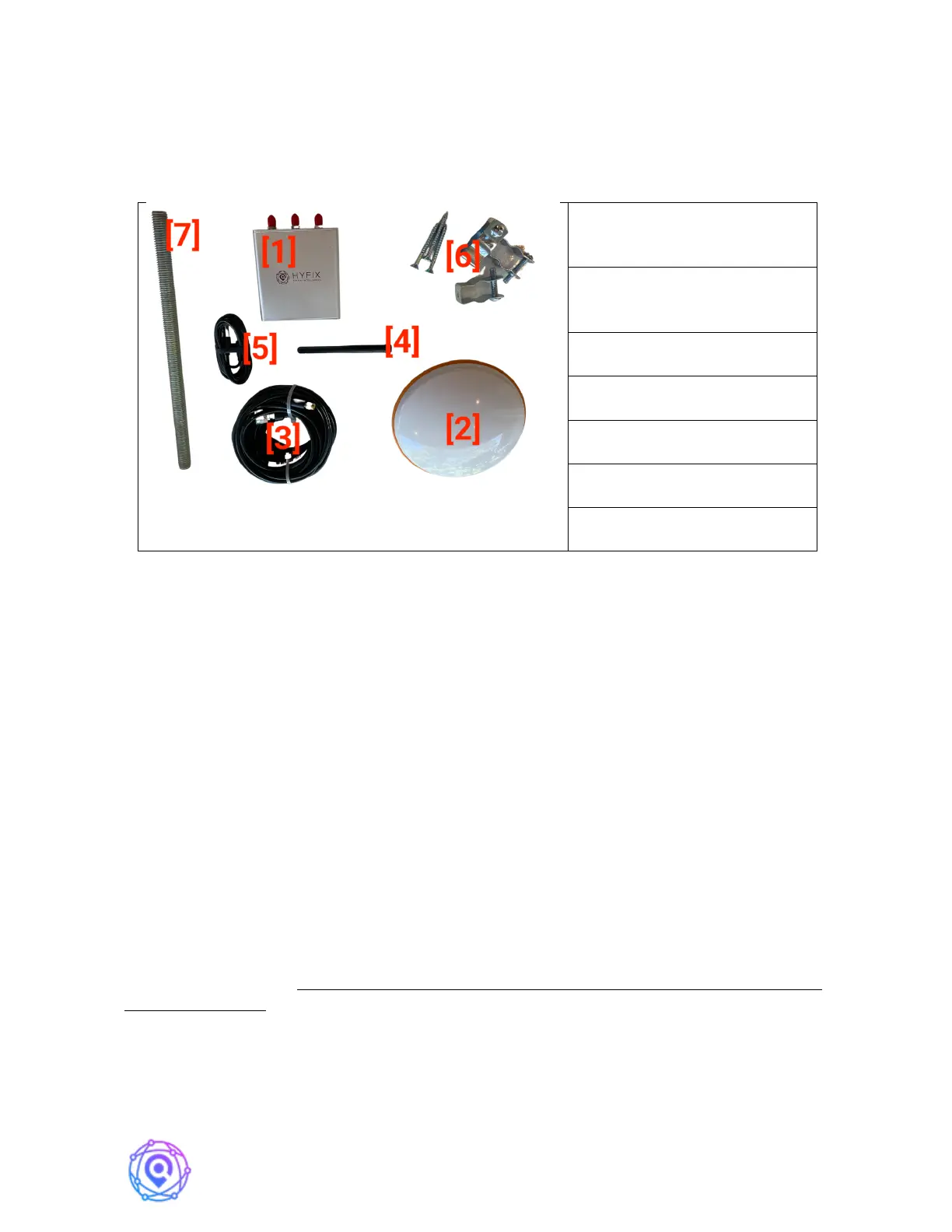
HYFIX's MobileCM Station Kit contains the following items:
MobileCM GNSS (Space
Weather) Receiver [1]
GNSS (Space Weather)
Antenna [2]
Primary Antennae Cable [3]
Antennae Mounting Rod [7]
To configure and connect the MobileCM (Section 2), you will need a Windows 10 PC
or MAC computer and be nearby the WiFi network you intend to use for data transmission.
Ubuntu should also work, but use of a Mobile Phone for setup is not recommended at this
time. An ability to login into the Internet connected WiFi router’s web-page is also desirable.
To install the GNSS antennae (Section 3), you will likely need an electric drill, Philips
screwdriver, and a ladder. More hardware maybe required depending on location.
1.1. Find and Record Station Serial Number
Turn the MobileCM receiver upside down. Find the Station Serial number as shown
below. Record the Station Serial number in your STATION INSTALLATION RECORD
found at the end of this manual.
The Station Serial number is important, and the label may get damaged.
1.2. Power Up
Plug in USB-C Cable [5] and Turn Switch to On Position. RED LED will turn on
SOLID. On first use, GREEN LED will FLASH slowly indicating Access Point Mode
(AP). This is normal. Note: The USB-C connection is just simply a power connection under
normal conditions. However, for Debug of Problems USB-C can be used as a serial
communication port.


 To Next Page