HYFIX MobileCM Base-station Manual Page 6 of 12
2.2. Open MobileCM WebUI (Station Mode)
IMPORTANT! Ensure your PC or MAC is now connected to same WiFi SSID as
entered above.
Finding the newly assigned local IP address of the MobileCM can be a little tricky.
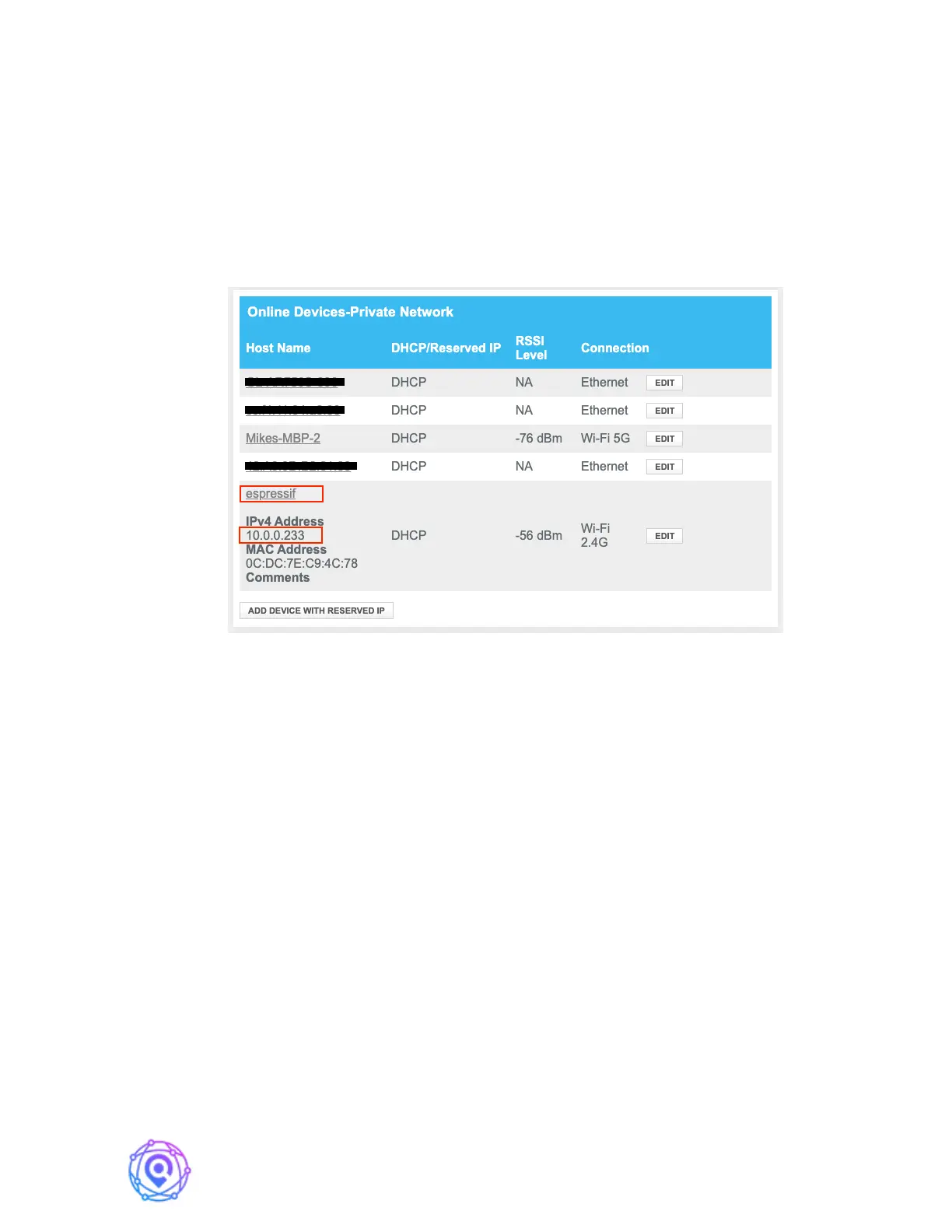
The simplest route is to check the table of connected devices on your WiFi router’s web page.
See an example photo below – look for ‘espressif’.
An alternate method to find the device IP is to retrieve the assigned IP from
MobileCM’s debug serial port (See section 6 Debug).
Enter the assigned IP address to your web browser and the following configuration
page will appear. In this example that is 10.0.0.233 and a screen appears below.


 To Next Page