HYFIX MobileCM Base-station Manual Page 7 of 12
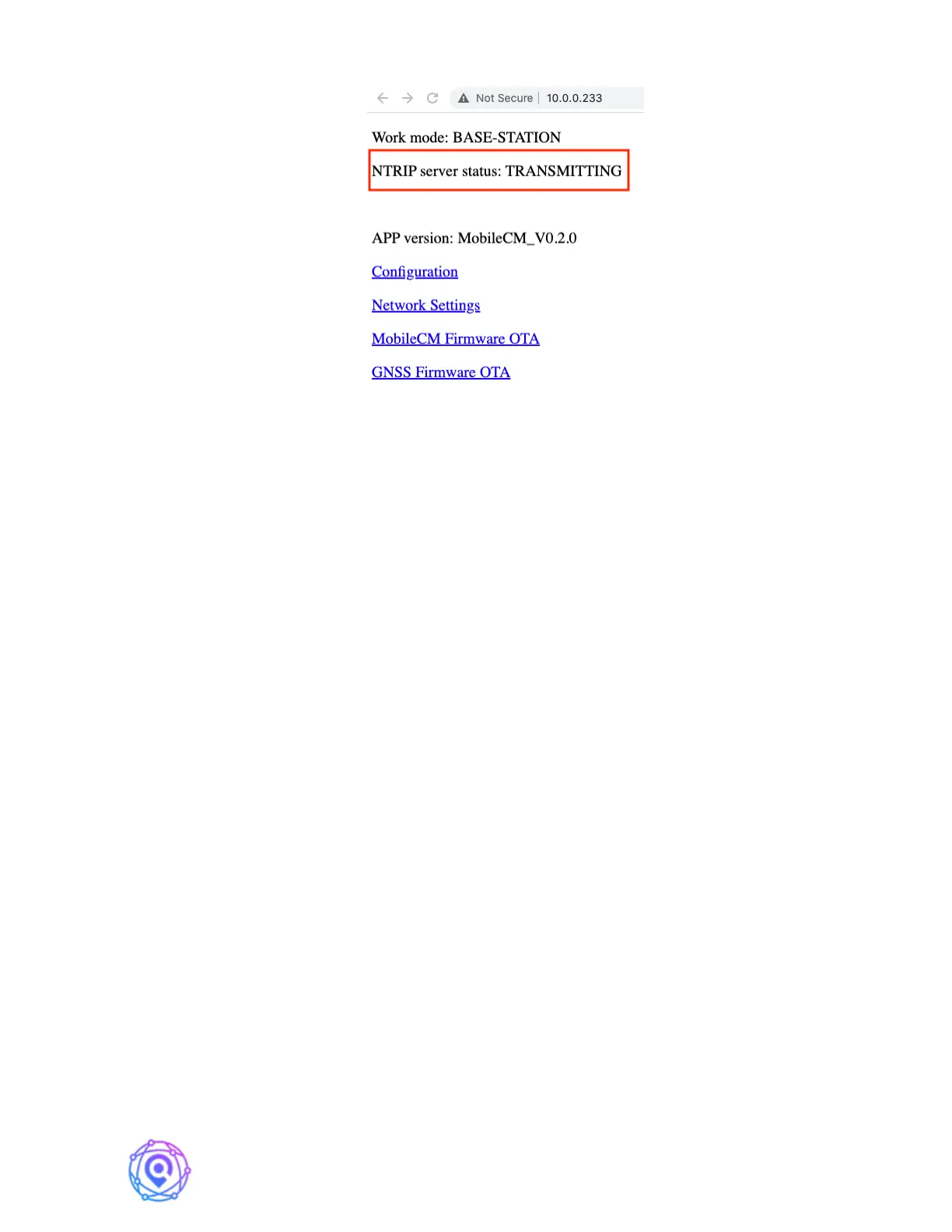
Check the NTRIP server status. If it says “TRANSMITTING”, record this IP (e.g.,
10.0.0.233) in the STATION INSTALLATION RECORD.
You are almost done!
2.3. Set Miner Key and Transmit Data to GEODNET
From the main mobile webpage, select ‘Configuration’
Enter a unique phrase in the Miner Key field (12-18 bytes) with standard ASCII. This
parameter must be changed from the default value, and the default value is an invalid
placeholder value. This Key will be used to associate your Geodnet Miner Account with this
station on the Geodnet Console Application. Record the Key on your STATION
INSTALLATION RECORD.
IMPORTANT! Do not share the Miner Key with others. The Miner Key is not a
Wallet Address nor a User Id/User Password. The Miner Key is just a code that you use with
Geodnet Console Application.
Congratulations! You are Connected.
2.4. Reset WiFi for a New Network / Moving Locations
If you decide to move the MobileCM to a different WiFi network, you can pre-
emptively change the settings from the MobileCM. Go to the Network Settings link from the
main page.
Again, be sure your PC or MAC is on same WiFi SSID as the newly configured SSID
and repeat step 2.2.


 To Next Page