HYFIX MobileCM Base-station Manual Page 4 of 12
1.3. Antennae Ports
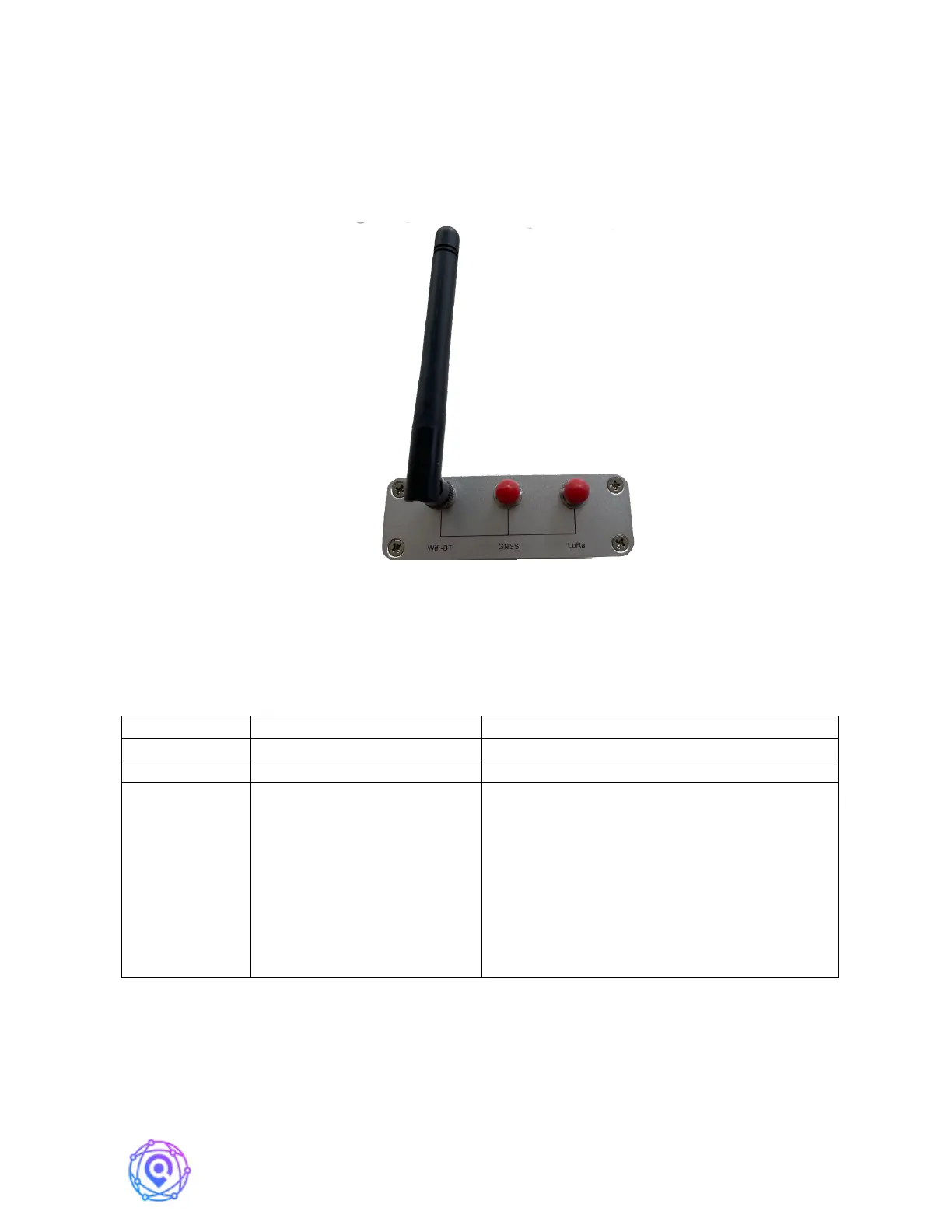
There are three antennae ports on the rear of the MobileCM as pictured below.
Connect the small WiFi Antennae [4] to the WiFi port. You can connect the GNSS antennae
port later in Section 3. The LoRa port is for future function expansion and is not connected in
the base-station product.
Note: We recommend using the provided WiFi Antennae, as during testing we have
seen issues with some random WiFi antennae.
1.4. LED Definition
BLINKING (1s), antennae sees satellites
BLINKING (SLOW): Access Point mode.
Used for configuring Internet connection.
(http://192.168.4.1)
BLINKING (FAST): Attempting to Connect
to Internet via Configured SSID and
Password
SOLID, Internet is connected.
1.5. Android Set-Up App
Bluetooth-based Set-up App Coming in Q3 2022 time-frame.


 To Next Page