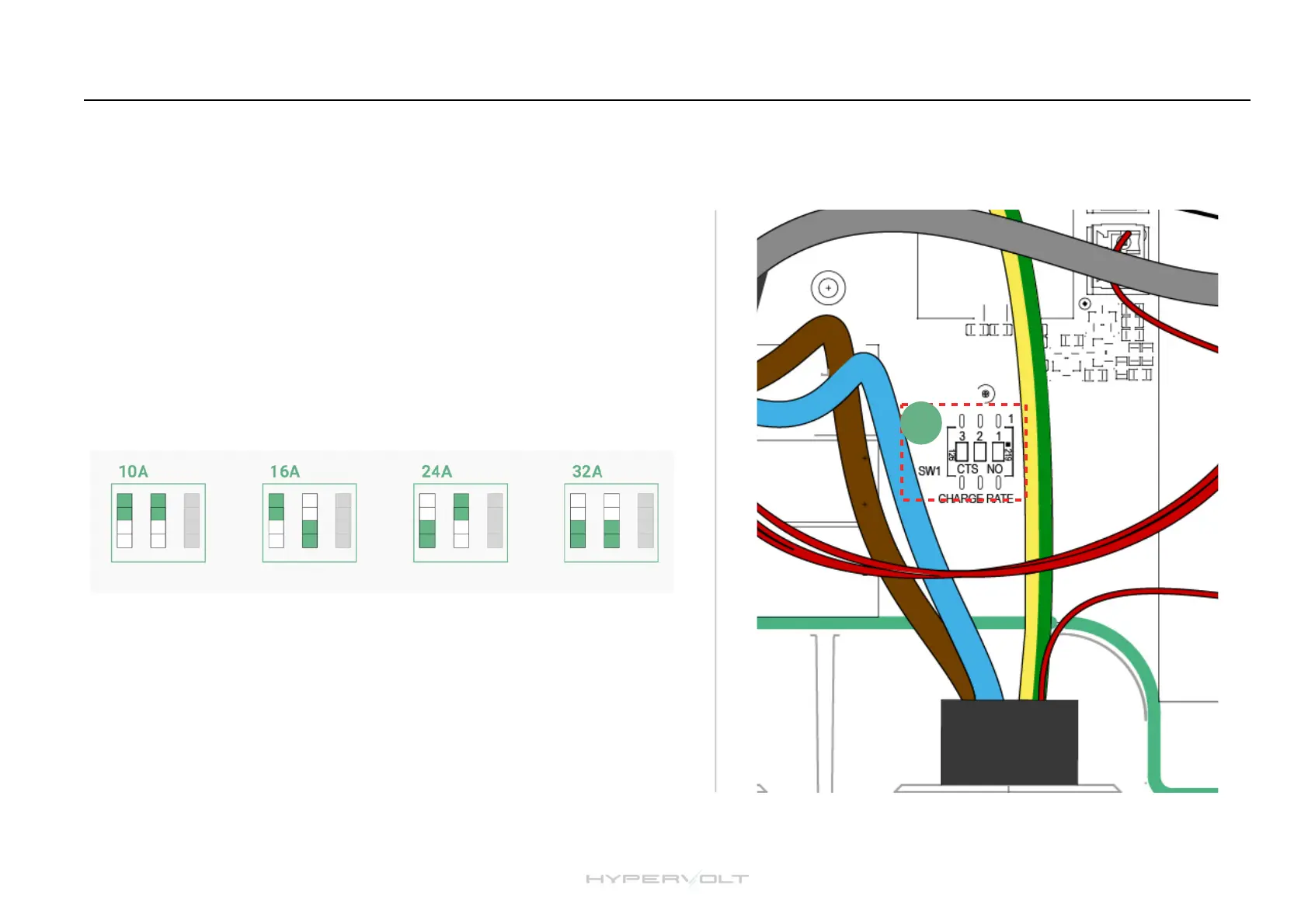
Setting the Maximum Operating Current (Hard Set)
1. Isolate the supply to the Hypervolt & remove the cover.!
2. Locate the “Hard Set” dip switches (11) in the bottom left corner of the
PCB.!
3. The dip switches are factory set to the maximum 32A.!
4. Change the first two dip switches to your required maximum output as
per the following positions:!
!
5. Replace the cover and turn the power back on.!
Reducing the maximum operating current can sometimes be requested by
your DNO and should be done using the Hard Set method only not the soft
set.
It is possible to limit the maximum current the Hypervolt Charger will operate at by permanently derating the unit using the internal dip
switches. This is called a “Hard Set” as opposed to a “Soft Set” which can be done from the app.


 To Next Page