F. Extra set of ear cushions
G. Control box cable w/ USB connector and control box (letter H)
H. USB Control box w/ volume controls and 7.1 audio button
I. Airplane adapter w/ 3.5mm audio jacks and input converter jack
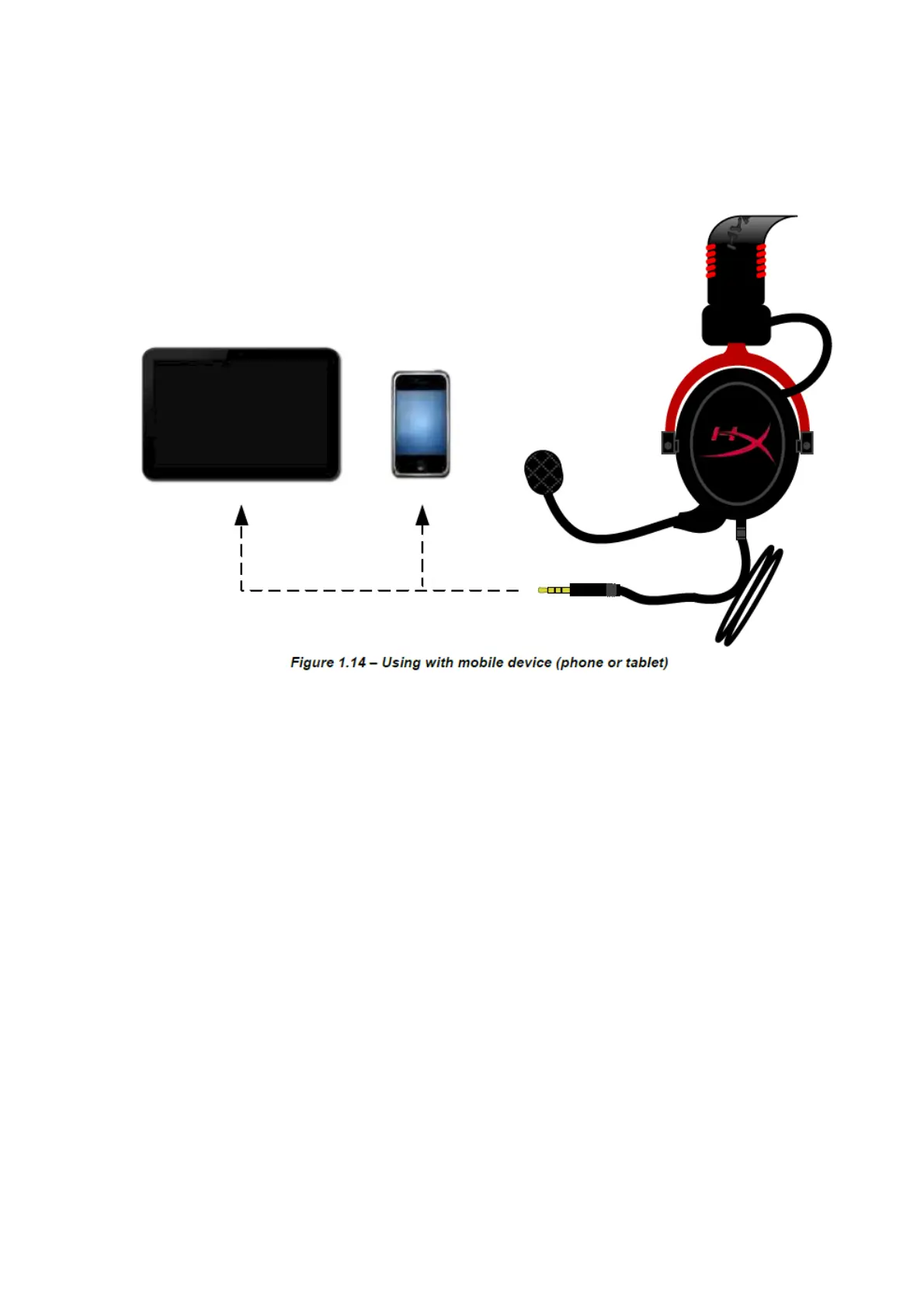
Usage (Direct Connect) with No Control Box
Connect your headset directly to your computer, game console, or other device (phone or tablet) that has a 3.5mm
audio jack.
Usage (with Control Box)
Connect the headset’s 3.5mm audio jack to the input jack on the USB control box. The USB control box then
connects to a computer using the USB connector on the end of the control box.


 To Next Page