EasyManua.ls Logo

Hyster B233 - User Manual

Hyster B233
24 pages
Print Icon
To Next Page IconTo Next Page
Loading...
Hyster B233 (B80ZAC) Forklift
Question and Answer IconNeed help?

Do you have a question about the Hyster B233 and is the answer not in the manual?

Summary

Hyster Forklift Service Manual

AC Motor Controller Overview

Introduces the AC motor controller for Hyster forklifts.

Maintenance and Repair Safety Precautions

Essential safety guidelines for performing maintenance and repairs.

General Operational Information

Capacitor Discharge Procedure

Step-by-step guide to safely discharge controller capacitors.

Electrical System Description

Component Location Diagram

Illustrates the placement of key electrical components on the forklift.

Controller Parameter Configuration

AC Traction Motor and Controller Details

Explains the AC traction motor and controller functions.

Service PC Connection for Parameters

Describes using a PC for parameter adjustment and troubleshooting.

General Parameter Settings Overview

Introduces the concept and general settings of forklift parameters.

Parameter Functionality Explanations

Performance and Speed Control Parameters

Details parameters affecting walk speed, acceleration, deceleration, and plugging.

Troubleshooting Methodology

General Troubleshooting Approach

Outlines the basic steps for diagnosing forklift issues.

Specific Troubleshooting Scenarios

Non-Status Code Error Diagnosis

Procedures for troubleshooting errors without status codes.

Powered Black Screen Fault Resolution

Steps to diagnose and fix a powered black screen issue.

Diagnostic Code Interpretation

Tiller Oscillation and Bias Troubleshooting

Addresses mechanical causes for tiller chattering or bias.

Status Code Overview and Fault Codes

Explains status codes and introduces fault code references.

Fault Code Reference List

Common Fault Codes

Lists common error codes and their descriptions for diagnostics.

Status Code Troubleshooting

Check Battery Status Code

Diagnosing issues related to battery voltage detection.

High Temperature Status Code

Troubleshooting thermal cutback due to high component temperatures.

Overheat Status Code

Diagnosing over-temperature conditions in the traction motor or power bridge.

Summary

Hyster Forklift Service Manual

AC Motor Controller Overview

Introduces the AC motor controller for Hyster forklifts.

Maintenance and Repair Safety Precautions

Essential safety guidelines for performing maintenance and repairs.

General Operational Information

Capacitor Discharge Procedure

Step-by-step guide to safely discharge controller capacitors.

Electrical System Description

Component Location Diagram

Illustrates the placement of key electrical components on the forklift.

Controller Parameter Configuration

AC Traction Motor and Controller Details

Explains the AC traction motor and controller functions.

Service PC Connection for Parameters

Describes using a PC for parameter adjustment and troubleshooting.

General Parameter Settings Overview

Introduces the concept and general settings of forklift parameters.

Parameter Functionality Explanations

Performance and Speed Control Parameters

Details parameters affecting walk speed, acceleration, deceleration, and plugging.

Troubleshooting Methodology

General Troubleshooting Approach

Outlines the basic steps for diagnosing forklift issues.

Specific Troubleshooting Scenarios

Non-Status Code Error Diagnosis

Procedures for troubleshooting errors without status codes.

Powered Black Screen Fault Resolution

Steps to diagnose and fix a powered black screen issue.

Diagnostic Code Interpretation

Tiller Oscillation and Bias Troubleshooting

Addresses mechanical causes for tiller chattering or bias.

Status Code Overview and Fault Codes

Explains status codes and introduces fault code references.

Fault Code Reference List

Common Fault Codes

Lists common error codes and their descriptions for diagnostics.

Status Code Troubleshooting

Check Battery Status Code

Diagnosing issues related to battery voltage detection.

High Temperature Status Code

Troubleshooting thermal cutback due to high component temperatures.

Overheat Status Code

Diagnosing over-temperature conditions in the traction motor or power bridge.

Overview

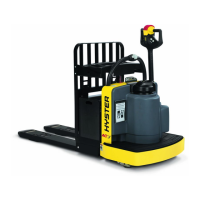
This document is a Service Repair Manual for the Hyster B233 (B80ZAC) Forklift, specifically focusing on its AC Motor Controller. It also covers other models including B60ZAC [B230], B60ZHD [A262], and B80ZHD [A257].

Function Description

The Hyster forklift utilizes an Iskra® AC motor controller to manage the AC traction motor and the DC pump motor. For models equipped with it, the controller also supports an optional brushless DC power steering motor. Communication within the system, including interaction with the dash display and control handle, is facilitated by CANbus.

The AC traction motor is a three-phase AC induction motor, notable for not using motor brushes or a commutator. Its speed is precisely controlled by the motor controller, which adjusts the frequency of the AC power supplied. A speed sensor integrated into one of the motor bearings provides continuous feedback to the controller regarding motor direction and revolutions per minute (RPM). This feedback system enables superior vehicle top speed control compared to older DC SEM systems.

The motor controller's primary role is to convert DC power from the truck battery into the three-phase AC power required by the traction motor, at the necessary frequencies and currents. It receives power via the main contactor, which is controlled by the key switch. Inputs from the control handle and hand rail switches allow the controller to manage various lift truck functions.

Important Technical Specifications

The manual details various adjustable parameters that define lift truck functions. These parameters have specific value ranges to accommodate different lift truck models, sizes, and operating voltages. Adjustments can be made via the dash display or using ETACC PC software.

Key parameters include:

  • Extended Shift: Reduces traction performance by 15% to extend battery shift life. Can be set to OFF or ON.
  • Walk Speed (Both Directions): Sets maximum truck speed in "Walk" mode (range 0.5-4.0).
  • Hi Speed (FWD/REV): Sets maximum forward (range 0.5-9.0) and reverse (range 0.5-9.0) speeds in "Ride" mode.
  • Minimum/Maximum Acceleration: Controls the acceleration rate at lowest (range 1-10) and maximum (range 1-10) throttle settings.
  • Plugging: Controls maximum deceleration rate when speed control is moved to the opposite direction of travel (range 1-10).
  • ADS-Neutral/ADS-Throttle: Control deceleration rates when the speed control is returned to neutral (ADS-Neutral, range 1-10) or partially reduced (ADS-Throttle, range 1-10). A value of 1 results in coasting.
  • Pick Acceleration/Deceleration: Controls acceleration (range 1-10) and deceleration (range 1-10) rates when the coast control switch is activated or released.
  • Battery Full Voltage: Defines the battery voltage (in millivolts) considered fully charged (default 25.300V, range 24.500-26.500V).
  • Lift Interrupt: Defines the battery voltage (in millivolts) at which the battery is considered 80% discharged (default 23.520V, range 18.000-24.000V). Note: Maintenance-free battery option uses 24.000V.
  • PS Fwd Trav/Rev Trav/Max Assist: Parameters related to power steering (ranges 1-10).

The manual emphasizes that parameter values are shown in ETACC format (e.g., 23.520) but will appear as three-digit numbers without decimals on the dash display (e.g., 235).

Usage Features

The forklift's operation is governed by the motor controller, which integrates various inputs to manage movement and functions. The system includes an on-board diagnostic system accessible via the dash display, which helps identify issues by displaying status codes.

The manual highlights the importance of understanding how parameter changes affect truck operation, advising that operators must be informed if any values are altered. It also provides guidance on connecting a laptop with ETACC software for parameter adjustment and troubleshooting.

Maintenance Features

The manual provides comprehensive safety precautions for maintenance and repair, including:

  • Always ensuring slings, chains, or cables are correctly fastened and loads are balanced when lifting parts.
  • Using lifting mechanisms for heavy parts instead of manual lifting.
  • Wearing safety glasses.
  • DISCONNECTING THE BATTERY CONNECTOR before any maintenance or repair on electric lift trucks.
  • Using correct blocks to prevent the unit from rolling or falling.
  • Keeping the unit and working area clean and orderly.
  • Using correct and clean tools.
  • Using only HYSTER APPROVED parts that meet or exceed original equipment specifications.
  • Ensuring all fastening devices are removed before forcing parts.
  • Attaching a "DO NOT OPERATE" tag to controls during repairs.
  • Following WARNING and CAUTION notes.
  • Observing safety precautions when handling flammable fuels (Gasoline, LPG, CNG, Diesel).
  • Ensuring good ventilation and keeping fire/sparks away from charging batteries due to flammable gas generation.

A critical maintenance procedure detailed is DISCHARGING THE CAPACITORS in the controller. This is essential to prevent electrical shock, as capacitors can retain a charge even after the battery is disconnected. The procedure involves:

  1. Moving the truck to a safe, level area, turning the key switch OFF, and disconnecting the battery.
  2. Removing the drive unit compartment cover.
  3. Connecting a 200-ohm, 2-watt resistor across the controller's B+ and B- terminals to discharge capacitors. Crucially, a screwdriver or jumper wire must NOT be used for this purpose. The resistor must be removed before reconnecting the battery.

The motor controllers are sealed units with no serviceable components. Troubleshooting is primarily limited to accessing status codes and following diagnostic procedures. The manual provides a detailed list of STATUS CODES (e.g., Check Battery, High Temp, Overheat, Stalled, various communication errors) with descriptions, symptoms, and probable causes with test procedures. These codes help diagnose malfunctions related to input voltages, incorrect sequences, or timing issues.

For "Powered Black Screen" errors (where the dash display powers on but shows a black screen, and hydraulic/traction functions are inoperable), the manual outlines a troubleshooting process involving:

  • Connecting an ETACC diagnostic system to identify non-communicating components.
  • Manually checking voltages at specific points in the tiller harness and main harness using a multimeter.
  • Checking for shorts and continuity in wiring.

The manual also addresses Tiller Oscillation and Bias (EPAS Option), noting that these issues are typically physical/mechanical rather than electrical. Troubleshooting involves inspecting and adjusting:

  • Casters (for correct tire size and shims).
  • Drive tire condition (for wear and grip).
  • Loose gears (EPAS motor and bracket gears, adjusting backlash).
  • Uneven pull rods (for misalignment).
  • Assist level (reducing levels 7-10 if excessive). After these checks, calibration of the Power Assist Steer Sensor is recommended.

The manual explicitly states that if all other status code procedures have been followed and no problem is found, replacing the controller should be the last option, as internal failure of the controller can cause almost any status code or fault. It also warns against probing through the back of connector plugs, as this can destroy the seal and cause short circuits. Instead, it recommends checking voltage at amp-type plugs, switches, or components, or using a breakout kit for testing.

Hyster B233 Specifications

General IconGeneral
BrandHyster
ModelB233
CategoryForklifts
LanguageEnglish

Related product manuals