9
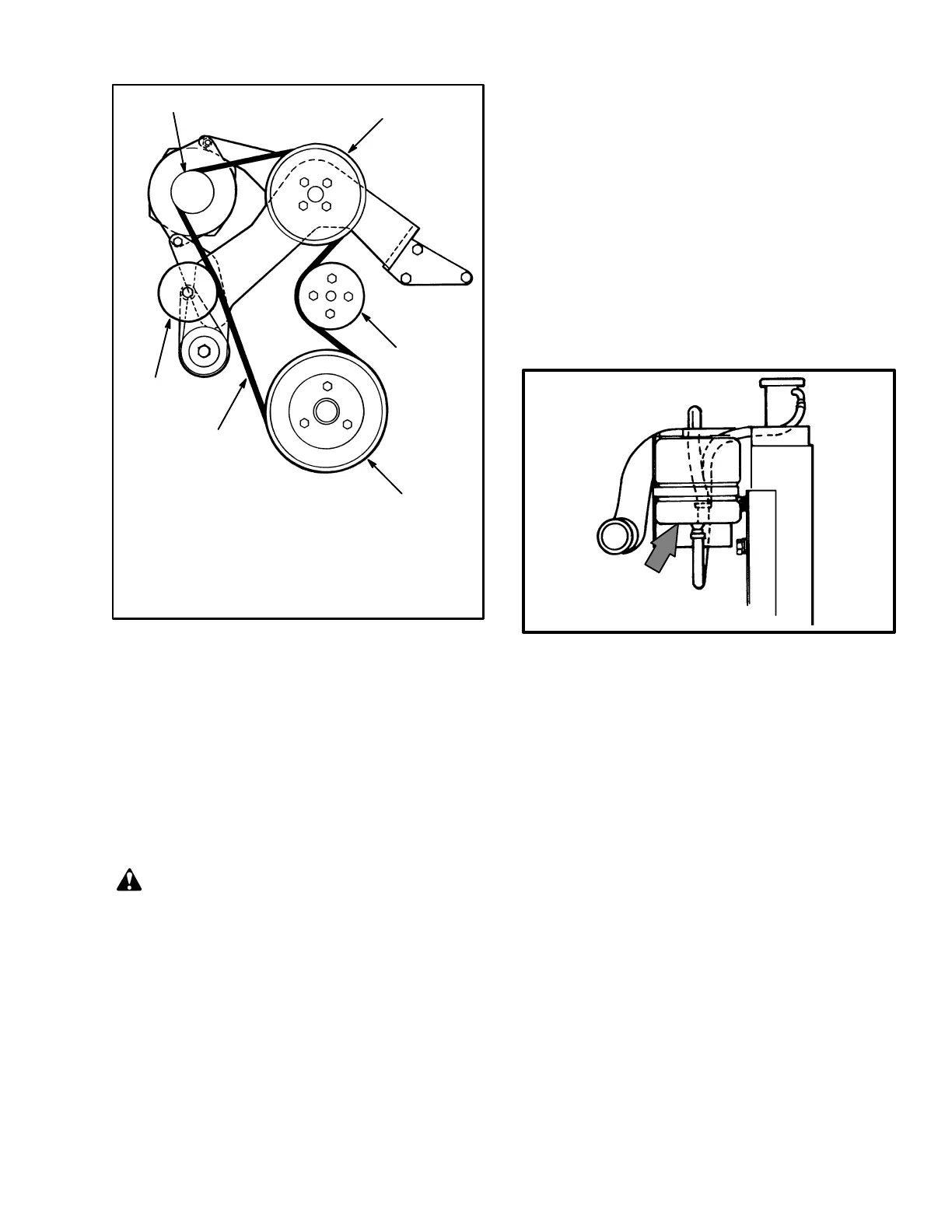
FIGURE 6. DRIVE BELT
12873
1
2
3
4
5
6
1. PULLEY, ALTERNATOR
2. PULLEY, FAN
3. PULLEY, WATER PUMP
4. PULLEY, CRANKSHAFT
5. DRIVE BELT
6. PULLEY, TENSIONER
LATE MODEL
GM V–6 SHOWN
Engine Oil (See FIGURE 5.)
After the engine has stopped, wait one minute before
checking the oil level. Keep the oil at the correct level as
indicated on the dipstick. Use the correct oil as shown in
the MAINTENANCE SCHEDULE.
Drive Belts
Check the drive belts for wear and damage.
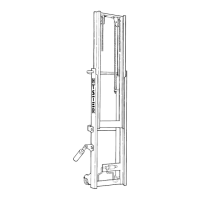
Cooling System (See FIGURE 7.)
WARNING
DO NOT remove the radiator cap from the radiator
when the engine is hot. When the radiator cap is re-
moved, the pressure is released from the system. If
the system is hot, the steam and boiling coolant can
cause burns. DO NOT remove the cover for the ra-
diator when the engine is running.
Make sure the coolant level is between the “FULL” and
the “ADD” mark on the auxiliary coolant reservoir. The
coolant will expand as it is heated and the level in the
auxiliary coolant reservoir will increase. Add coolant to
the auxiliary reservoir if additional coolant is needed.
Check the radiator fins. Clean the radiator with com-
pressed air or water as needed.
11619
FIGURE 7. AUXILIARY COOLANT RESERVOIR
FULL
ADD
Air Filter (See FIGURE 5. And FIGURE 8.)
Clean or replace the air filter as necessary. Use com-
pressed air to clean the filter element. Air pressure must
be less than 210 kPa (30 psi). Apply the air from the in-
side to the outside of the element.
Inspect the filter element. Put a bright light inside and
look for holes or other damage. If the element is dam-
aged, replace it with a new element. Use a cloth with sol-
vent to clean the inside of the canister when the filter ele-
ment is cleaned or replaced.



 To Next Page