EasyManua.ls Logo

Hytera AP515LF - User Manual

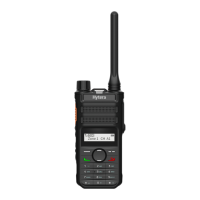
Hytera AP515LF
23 pages
Print Icon
To Next Page IconTo Next Page
Loading...
AP51X Two-way Radio
User Manual
Hytera Communications Corporation Limited

Questions and Answers

  • D
    Daniel AveryAug 10, 2025
    What to do if my Hytera AP515LF won't turn on?
    • K
      Kimberly SpearsAug 10, 2025
      If your Hytera Two-Way Radio won't turn on, it might be due to several reasons. First, the battery may be installed improperly; try removing and reattaching the battery. Second, the battery power may have run out; recharge or replace the battery. Finally, the battery may suffer from poor contact caused by dirtied or damaged battery contacts; clean the battery contacts to resolve this.
  • R
    Ricardo JohnsonAug 16, 2025
    Why is my Hytera AP515LF battery not charging?
    • A
      Aaron FergusonAug 16, 2025
      Your Hytera Two-Way Radio battery may not be charging because the power adapter plug is not properly inserted into the socket. Try reconnecting the radio to the power adapter. Alternatively, the USB Type-C cable may be poorly connected. Try reconnecting the USB Type-C cable.
  • M
    Michelle RodriguezAug 21, 2025
    What to do if the voice is weak on my Hytera Two-Way Radio?
    • R
      robert69Aug 21, 2025
      If the voice is weak, discontinuous, or totally inactive during receiving on your Hytera Two-Way Radio, the signal may be weak. Make sure that the radio is within the signal coverage. Also, the volume may be low, so increase the volume. Finally, the speaker may be blocked or damaged, so clean the surface of the speaker.
  • B
    Bridget SwansonAug 28, 2025
    What to do if Hytera Two-Way Radio keys do not work?
    • X
      xcooperAug 28, 2025
      If the keys on your Hytera Two-Way Radio do not work, the keys may fail to function temporarily. In this case, restart the radio. If the problem persists, the keys may be damaged.
  • E
    Eric ElliottSep 2, 2025
    What to do if the LED indicator is abnormal on my Hytera AP515LF Two-Way Radio?
    • M
      Megan CobbSep 2, 2025
      If the LED indicator is abnormal on your Hytera Two-Way Radio, the indication may be abnormal. Restart the radio. If the problem persists, the LED indicator may be damaged.

Summary

Product Overview

Product Layout

Illustrates the physical components of the radio.

Programmable Keys

Details how to customize radio functions via programmable keys.

Before Use

Charging the Battery

Instructions for charging the radio's battery.

Attaching the Belt Clip

Steps to attach the belt clip to the radio.

Basic Operations

Turning On or Off the Radio

Procedure to power the radio on and off.

Adjusting the Volume

How to increase or decrease the audio volume.

Selecting a Zone

Process for choosing a channel zone.

Selecting a Channel

Steps to select a specific radio channel.

Call on Analog Channel (Without Signaling)

Initiating a call on an analog channel without signaling.

Supplementary Features

VOX

Enables voice-activated transmission without pressing PTT.

Power Level

Allows setting transmit power to high or low.

Scan

Enables listening to other channels and team members.

Squelch Level

Adjusts the signal threshold for speaker activation.

Scrambler

Inverts audio spectrum for transmission privacy.

Troubleshooting

Care and Cleaning

Product Care

Tips for maintaining the product's condition and lifespan.

Product Cleaning

Instructions for safely cleaning the radio's exterior and contacts.

Optional Accessories

Abbreviations

Hytera AP515LF Specifications

General IconGeneral
BrandHytera
ModelAP515LF
CategoryTwo-Way Radio
LanguageEnglish

Related product manuals