EasyManua.ls Logo

Hytera AP51 Series - User Manual

Hytera AP51 Series
23 pages
Print Icon
To Next Page IconTo Next Page
Loading...
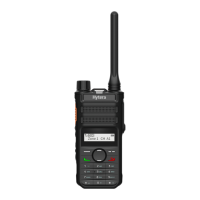
AP51X Two-way Radio
User Manual
Hytera Communications Corporation Limited

Questions and Answers

Hytera AP51 Series Specifications

General IconGeneral
Channel Capacity128
IP RatingIP54
Channel Spacing12.5kHz/25kHz
Battery Life (5-5-90 Duty Cycle)Up to 12 hours
Operating Temperature-20°C to +60°C
Battery LifeUp to 12 hours

Summary

Documentation Information

Instruction Conventions

Explains icons used for emphasis and warnings within the manual.

Notation Conventions

Details formatting conventions for menus, commands, and messages.

Key Operations

Describes basic button press types like short and long press.

Packing List

Product Overview

Product Layout

Details the physical layout and components of the radio device.

Programmable Keys

Explains the functionality and programming of programmable keys.

Before Use

Charging the Battery

Provides instructions and LED indicators for charging the radio's battery.

Attaching the Belt Clip

Guides the user on how to attach the belt clip to the radio.

Attaching the Battery

Step-by-step guide on how to properly attach the battery to the radio.

Attaching the Antenna

Instructions on how to correctly attach the antenna to the radio unit.

Attaching the Audio Accessory

Explains how to connect audio accessories to the radio, emphasizing care.

Checking the Battery Power

Describes how to check the remaining battery power using LED indicators and TTS.

Basic Operations

Turning On or Off the Radio

Instructions on how to power the radio on and off using the On-Off key.

Adjusting the Volume

Details how to increase or decrease the radio's volume using specific keys.

Selecting a Zone

Explains how to select a zone, which is a group of channels.

Selecting a Channel

Guides on how to choose a channel within the current zone for communication.

Call on Analog Channel (Without Signaling)

How to make a call on an analog channel without signaling, ensuring voice quality.

LED Indicator

Supplementary Features

VOX

Explains the Voice Operated Exchange feature for hands-free transmission.

Power Level

Allows adjustment of transmit power for communication range and battery saving.

Scan

Enables listening to activities on other channels and tracking team members.

Squelch Level

Describes how to adjust the squelch threshold for speaker activation.

Scrambler

Provides audio signal inversion for secure communication and privacy.

Monitor

Allows reception of weak signals and recognition of weak voices.

Squelch Off

Keeps the speaker unmuted regardless of carrier presence, allowing background noise.

Troubleshooting

Care and Cleaning

Product Care

Tips for maintaining the product's performance and lifespan.

Product Cleaning

Instructions for safely cleaning the radio using appropriate materials.

Optional Accessories

Abbreviations

Related product manuals