
 Need help?
Do you have a question about the Hytera AP58 Series and is the answer not in the manual?
Explains icons and notation used in the manual.
Describes basic button press actions.
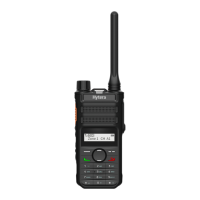
Identifies and labels all parts of the radio.
Explains how to utilize programmable keys for shortcuts.
Instructions on how to charge the radio's battery properly.
Steps for attaching the belt clip to the radio.
Detailed procedure for connecting the battery to the radio.
Guide on how to securely attach the antenna to the radio.
Instructions for connecting audio accessories to the radio.
How to power the two-way radio on and off.
Steps to control the audio volume level.
Method to choose a zone for channel management.
How to switch between different radio channels.
Making calls on analog channels without specific signaling.
Explains the meaning of icons shown on the LCD display.
Describes the status indicated by the LED light.
How to adjust the LCD backlight for visibility.
Enabling and using the Voice Operated Transmission feature.
Adjusting transmit power for range and battery life.
How to use the channel scanning function.
Enabling the scrambler for encrypted communication.
Using the monitor function to listen to weak signals.
Enabling squelch off to hear all audio, including noise.
General guidelines for product care and longevity.
Safe and effective methods for cleaning the radio.
 General
| IP Rating | IP54 |
|---|---|
| Type | Portable Two-way Radio |
| Frequency Range | VHF: 136-174 MHz, UHF: 400-470 MHz |
| Channel Spacing | 12.5kHz/25kHz |
| Battery | Li-ion, 2000 mAh |
| Operating Temperature | -30℃ ~ +60℃ |
| Storage Temperature | -40℃ ~ +85℃ |
| Weight | 250 g (with battery) |
| RF Power Output | VHF: 5 W, UHF: 4 W |

 To Next Page








