7
4. Basic Operations
4.1 Turning the Radio On or Off
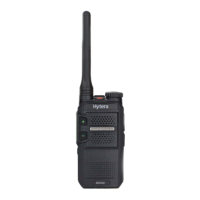
To turn the radio on or off, rotate the
On-Off/Volume Control
knob clockwise or counterclockwise until a click is
heard.
4.2 Adjusting the Volume
To increase or decrease the volume, rotate the
On-Off/Volume Control
knob clockwise or counterclockwise.
4.3 Selecting a Zone
A zone is a group of channels within the same operational area. The radio supports up to three zones, each of which
contains up to 16 channels.
To select a zone, press the preprogrammed
Zone Up
or
Zone Down
key.
4.4 Selecting a Channel
To select a channel, rotate the
Channel Selector
knob.
If the Channel Notify feature is enabled, the radio automatically announces the current channel upon power-on and
channel change.



 To Next Page