LION GUN® Electric Torque Tool Operations Manual
10
PRIMARY CONTROL FEATURES
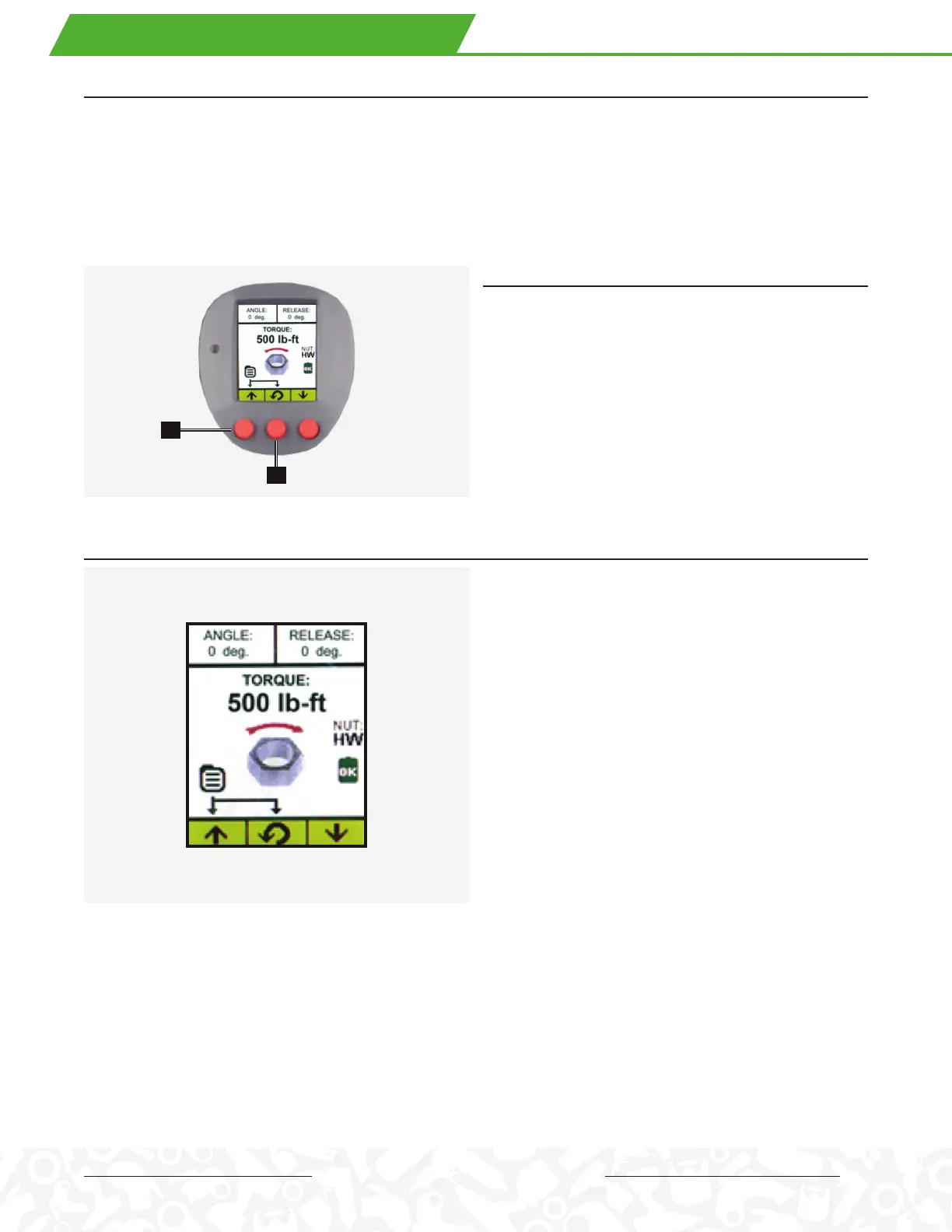
• Press Any Button to Power-On Tool (the tool automatically turns o after 5 minutes of disuse)
• If the tool is new, it will display the factory default settings
• A tool that has been used before displays the last settings used on the tool before it was powered o.
• Left Button Increases the Torque Value
• Right Button Decreases the Torque Value
• Screen Features: Torque, Angle, Release, Direction, Battery Status, Fastener Type, Data Record Indicator
SHORTCUTS
• Press and hold the center button for approximately 3
seconds to display the Job Select menu.
• Press and hold the right and left buttons simultaneously
for approximately 3 seconds for system level access.
• From the Home Screen, press and hold the left
and center buttons (1 and 2) simultaneously for
approximately 3 seconds to display the Main Menu.
SET TORQUE
• The Torque Value is set by simply pushing the left button
(h) or increase or right button (i) to decrease the torque.
• Output units may be displayed in lb-ft, N-m, kgf-m or %.
(Refer to Output Unit Settings under the
Operations menu)
• The rotational direction arrow and the rotating nut
icon indicate the direction associated with the specific
fastener type.
• The fastener type may be set under the Operation –
Fastener Type menu: Right-Hand, Left-Hand, HYTORC
NUT and HYTORC Washer.
. OPERATING THE CONTROL PANEL
1
2


 To Next Page
 Loading...