CONNECTING RADIO AND CONFIGURATION
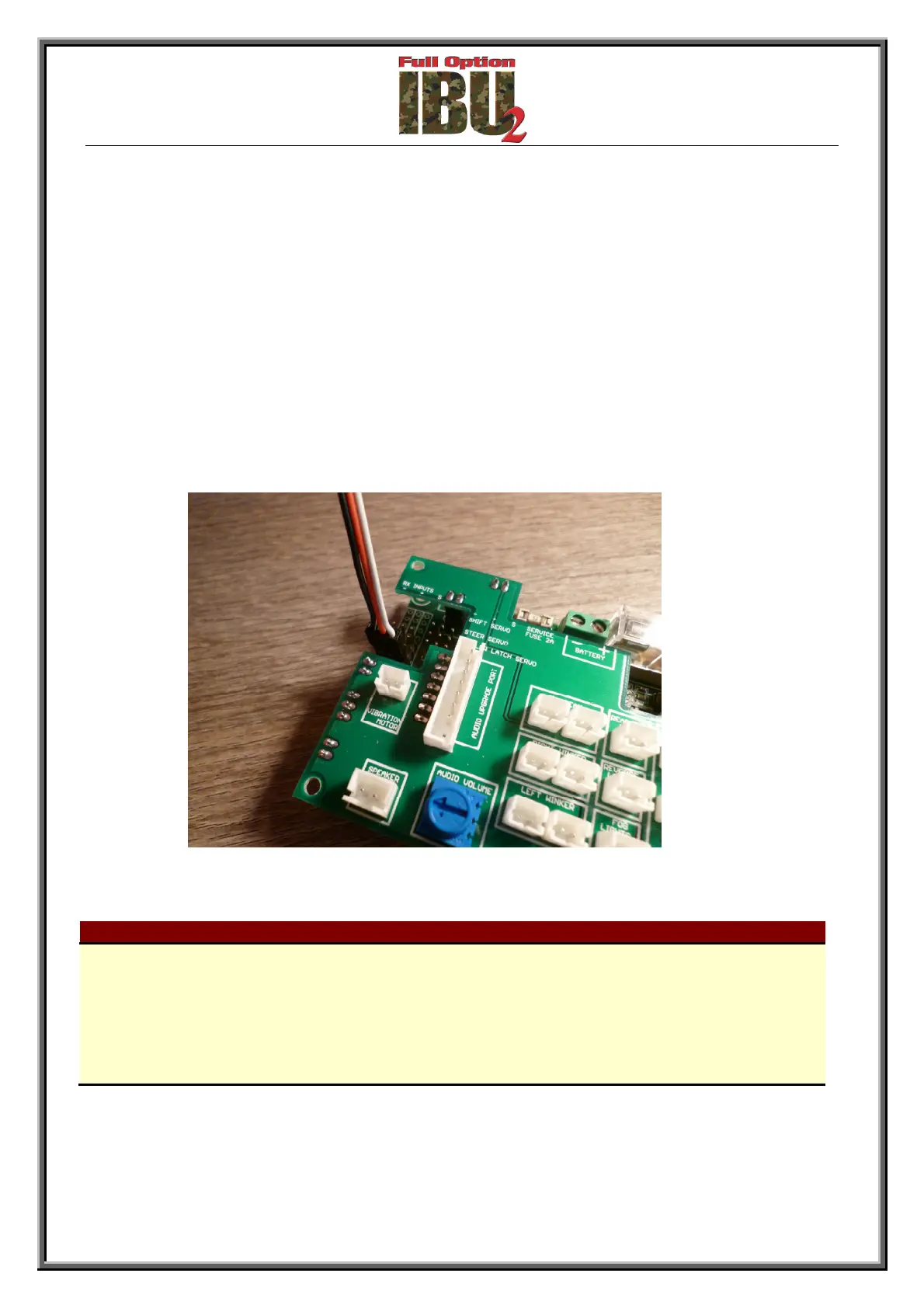
• Connect the receiver with cables (included) referring to the figure and the table below.
• Make sure to have no reverse or dual /rate active on radio channels.
• Turn on the truck and the radio transmitter.
• Wait until the receiver is aligned to the transmitter. (when aligned the low beam lights will
stop blinking and stay lit)
• Move the dip switch 2 to ON.
• Move both stick to the radio in all directions until it stops.
• Move the dip switch 2 to OFF.
• The board is now configured for use with the radio / receiver connected to it.
Receiver connected (cable inserted corresponds to channel 1)
Connect to the channel relative to the stick / command you want to use
CH1
Acceleration / reverse
CH2 Steer
CH3 Lights, horn
CH4 Gear shift



 To Next Page