21
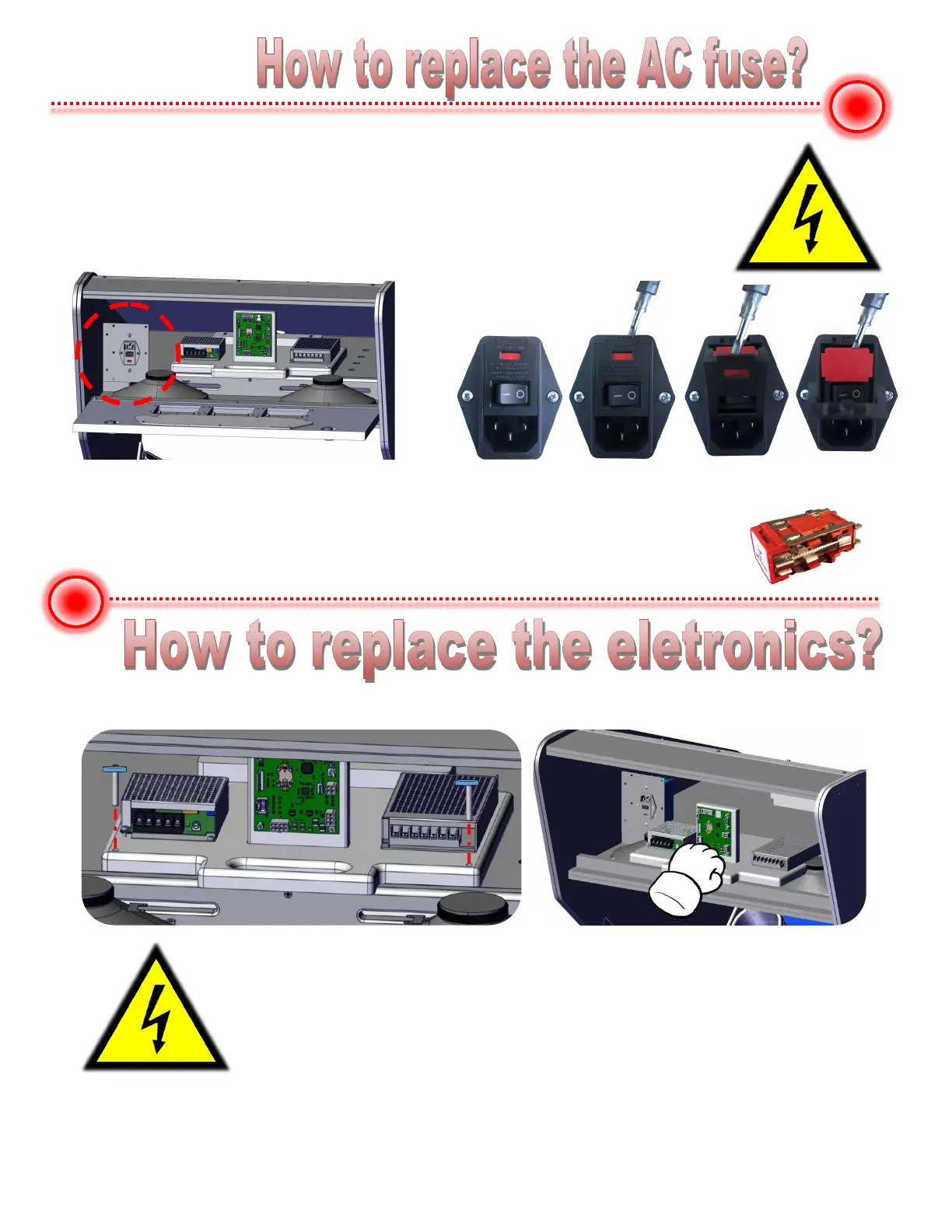
110v version only uses one fuse and it is on the right side.
This fuse is rated for 3 amps, Slow blow type.
WARNING! UNPLUG THE AC CORD FROM GAME BEFORE REMOVING FUSE!
Use a small flat blade screw driver.
At the top, insert and pry the lid open as show.
Then pry the red fuse holder out.
Remove the two mounting thumb screws at either side of the panel.
Pull electronics panel out so that you can access mounting hardware.
WARNING - Make sure AC power cord to the game is unplugged!


 To Next Page