23
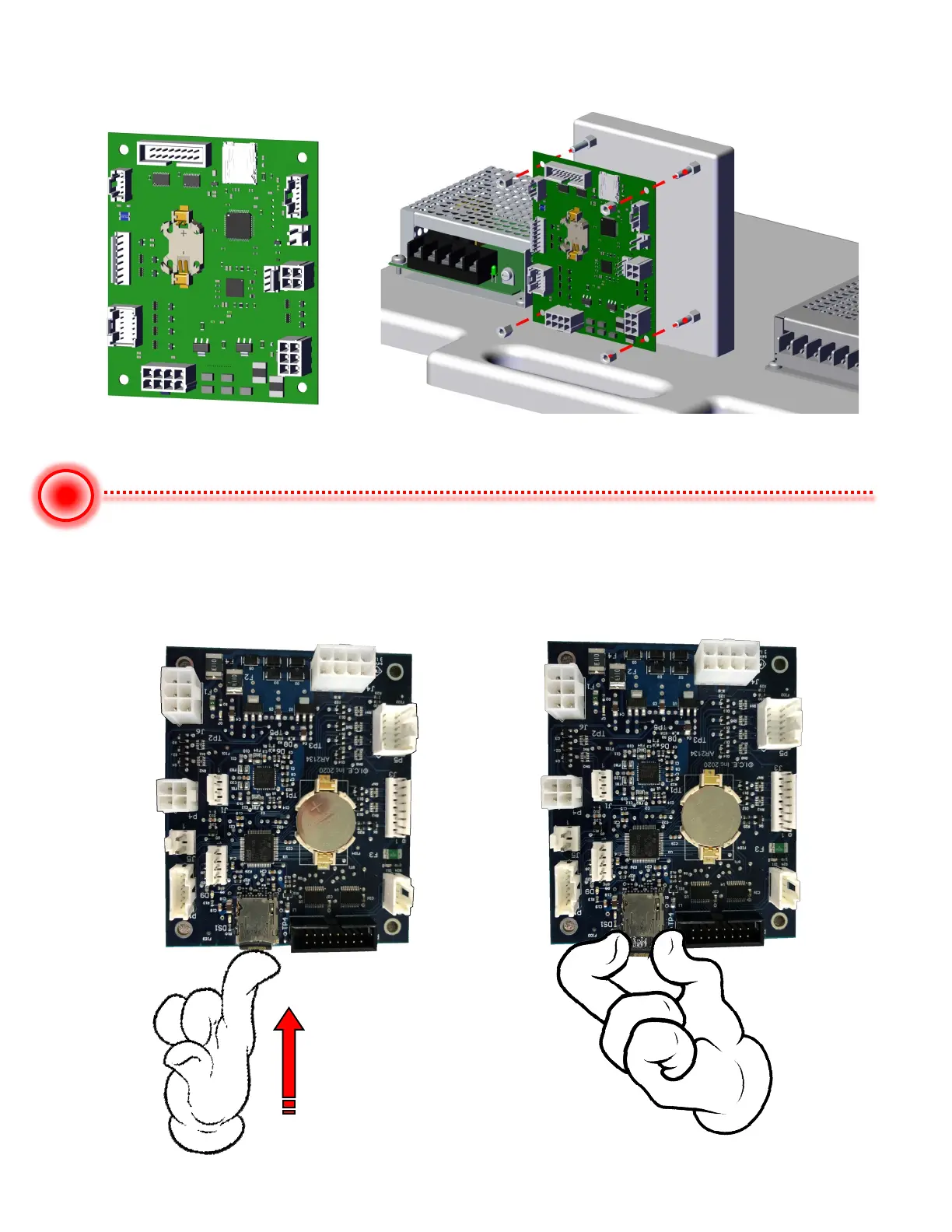
To Replace the Main board, use a 1/4” nut driver and remove the four plastic standoffs.
Remove and replace main board. All previous settings will be at default.
To Replace the SDCARD, located at the top of the board is a socket that holds a
SDCARD. Push the card in. It will pop out. Pull the SDCARD out of the socket. Insert the
replacement socket by pushing the card back into the socket. It will click and lock in.


 To Next Page