IACER Srl 18 MNPG69-09
continue the treatment. During the pause time green led turns off
until the treatment restarts.
ATTENTION: it’s possible to get out from the treatment at any time
by pressing once key, the screen will display the basic settings
(step 2). By pressing again key the screen will display programs
menu (step 1).
SETTABLE PROGRAMS INSTRUCTIONS
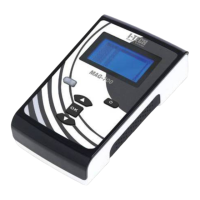
MAG2000 allows the user to modify the preset parameters in the programs
associated with the pathologies. After choosing the desired program, follow
these steps to change the parameters related to the therapy time and the
intensity of the magnetic field:
1. In the program detail press OK button to select the moving
wrench icon on the left side.
2. Press and buttons to adjust the desired therapy hours
(from 0 to 24) and confirm by pressing OK. Screen will highlight the
therapy minutes.
3. Press and key to adjust the desired therapy minutes (from
0 to 59) and confirm by pressing OK key. Screen will highlight
treatment intensity;


 To Next Page