www.i2m.it/en
Before Installation
Read the manual carefully prior starting any installation activities of the Chrome unit. A PDF copy of the
latest user manual can be downloaded from the i2m.it page.
Always install the Chrome unit inline with the installation requirements provided in this user manual.
CAUTION:
The Chrome unit is engineered and designed for race circuit use only, the unit is not approved for
street use. Certain motorcycles display their headlight and turn signal indicators on their OEM
dashboard, these functions will not be available, nor will it be accessible on the Chrome unit.
The Chrome unit is designed to utilize state of the art GPS technology to ensure lap timing and data
acquisition is accurate, therefore the GPS sensor must always have a good signal. It is recommended to
turn the ignition on at least 2-3 minutes prior to enable the Chrome unit to synchronize with the GPS
satellites. If the circuit is one of those in the Chrome circuit library, it will automatically adjust and recognize
the circuit therefore there will be no need to set this manually.
What’s Inside The Box
Once you unbox your Chrome you will find the following as a standard;
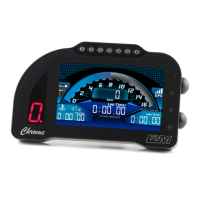
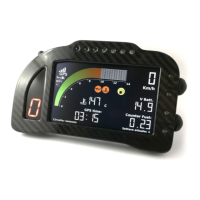
• Chrome Dashboard
• 10 Hz GPS receiver
• Standard wiring harness with GPS input connector, female USB output and sensor wiring
connector
• Electrical cable boot with clamp
• Wiring for lambda connection (with Plus and Pro only)
• Lambda O2 Sensor with connector (with Plus and Pro only)
• 2x TPMS sensors (with Pro only)
It is advisable to connect all signal cables (if there is no plug & play wiring harness for your motorcycle
make and model) by soldering and insulating connections.


 To Next Page