16
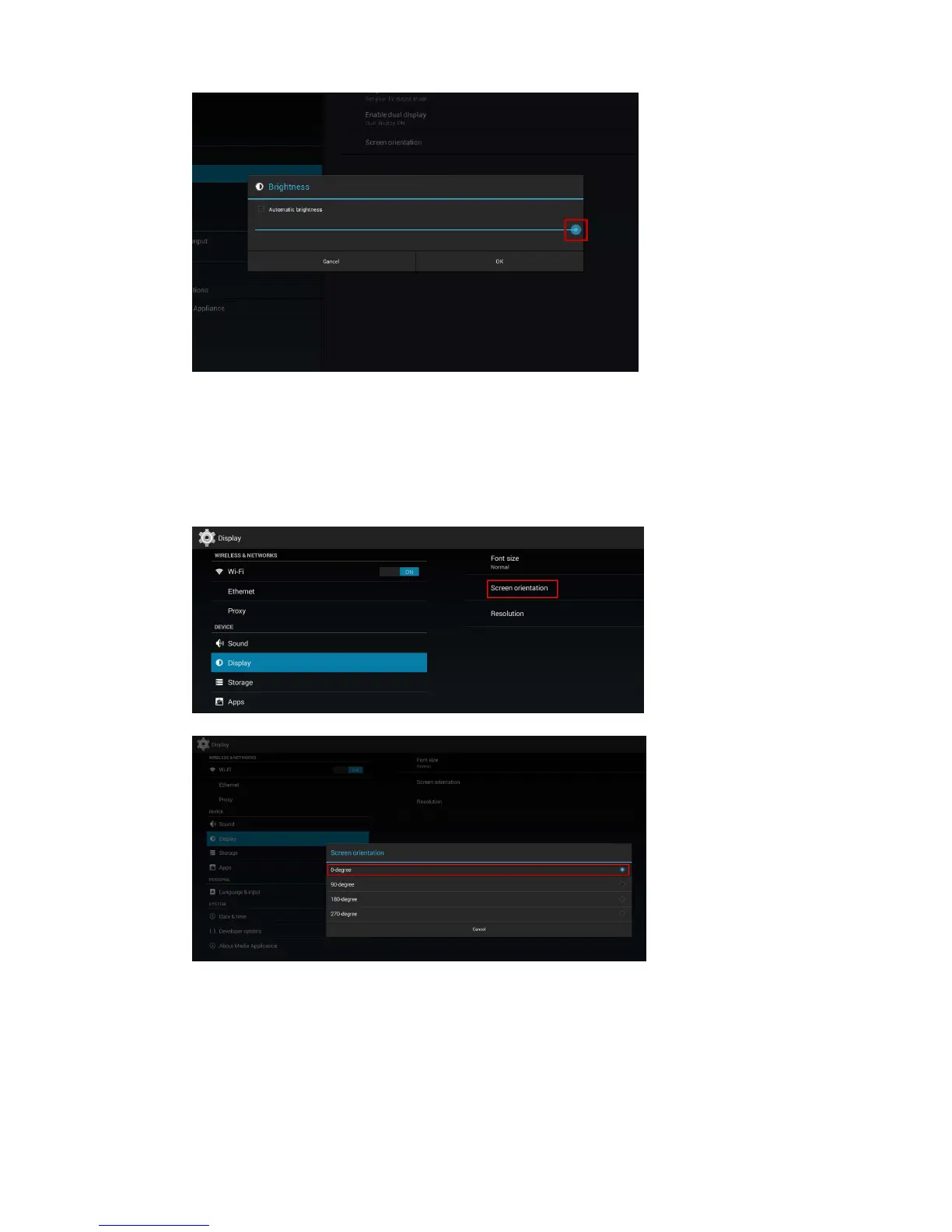
(Fig.2.10.8)
Screenorientation
Screenorientationistosetthedisplaytorotate90/180/270degrees.
1 ClicktheAdvancedbutton,advancedconfigurationmenuwillbelaunched.(Fig.2.6.1)
2 ClicktheDisplay/soundbutton,andthenclickonDisplay.TheDisplaySettingspagewillbelaunched.
(Fig.2.10.1)
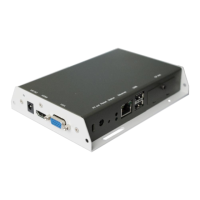
3 ClickontheScreenorientationmarkedinredbelow.
(Fig.2.10.9)
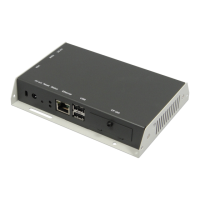
4 Clickonthepreferredanglefromthemenu.
(Fig.2.10.10)
4.11. Soundsettings
Tocontroltheoutputsoundvolumesandtouchsounds:
1 ClicktheAdvancedbutton,advancedconfigurationmenuwillbelaunched.(Fig.2.6.1)
2 ClicktheDisplay/soundbutton,andthenclickonSound.TheSoundSettingspagewillbelaunched.


 To Next Page