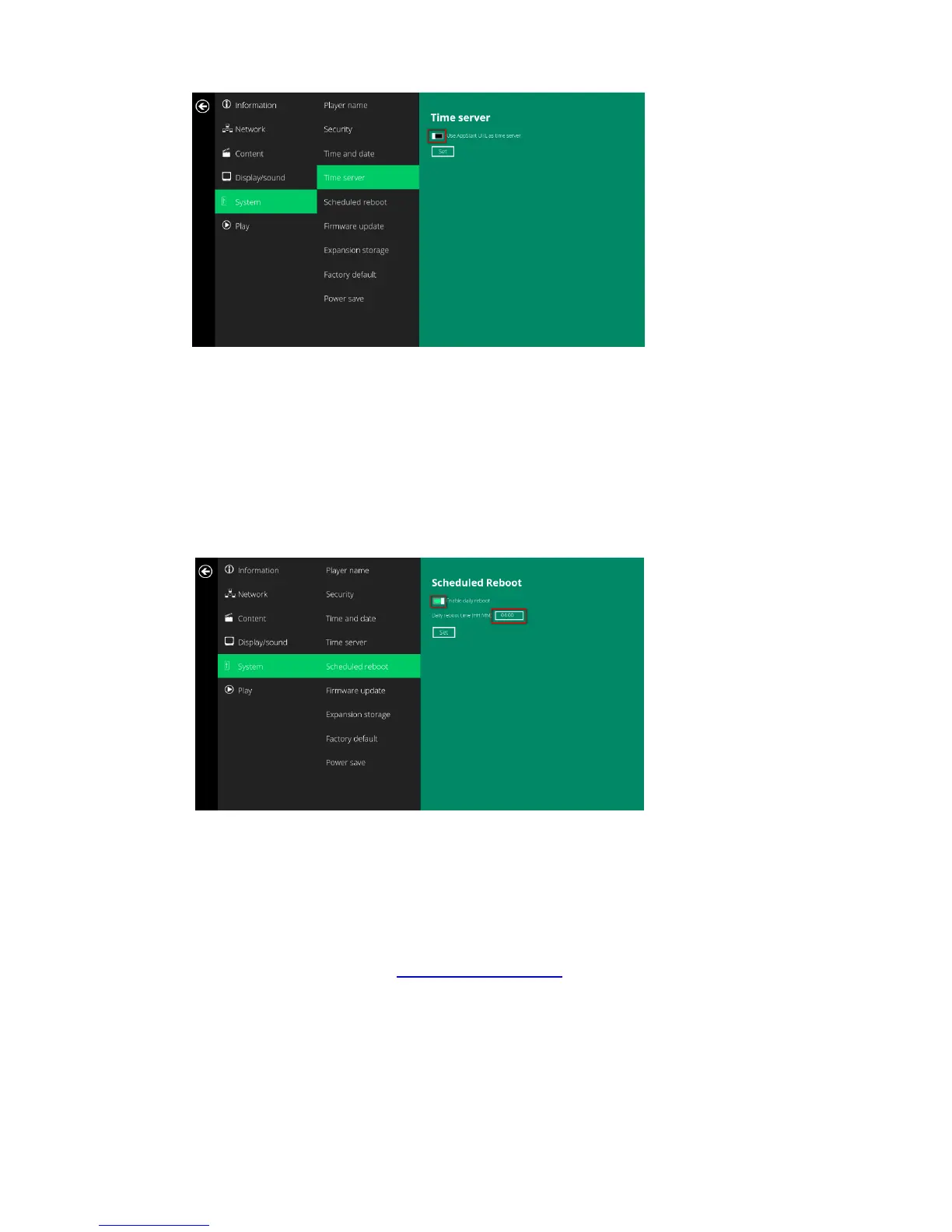
19
(
Fig.2.14.1)
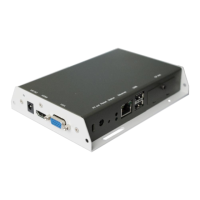
4.15. Systemconfiguration–Scheduledreboot
ThefeatureScheduledRebootallowstheplayertorebootontheassignedtimeautomaticallyeveryday.
1 ClicktheAdvancedbutton,advancedconfigurationmenuwillbelaunched.(Fig.2.6.1)
2 ClickonSystem,andclickonScheduledReboot.
3 ClicktheEnabledailyrebootbuttonasmarkedinredbelowtoenable/disablethedailyrebootfunction.
Clickonthedialogueboxtosetthetime.Thevaluecanbeinputtedwiththepop‐upkeyboardortheUSB
keyboard.
4 ClickonSettosavethesetting.
(Fig.2.15.1)
4.16. Systemconfiguration‐Firmwareupdate
FirmwareupdatescanbeperformedbyusingaUSBflashdrive.Pleasereadthereleasenotesregardingthe
changesthatwillbemadetoyourplayerbeforeapplyingtheupgrade.
IMPORTANT:DONOTunplugtheUSBdriveorpowerdowntheplayerwhilethesystemisperformingthe
firmwareupdate.
5 Downloadthelatestfirmwarefromhttp://www.digisignage.comandcopyittotherootdirectoryofaUSB
drive
6 Pluginthepowercordintothedevice.
7 Aftertheboot‐upcompletes,clicktheAdvancedbuttonontheBasicsettingsmenu.(Fig.2.6.1)
8 ClickonSystem,thenclickFirmwareupdate.
9 ClickonOKtobeginthefirmwareupdate.


 To Next Page