1
3. Introduction
Thisdocumentdescribesthebasicoperationoftheplayerandfrequentlyaskedquestions.
3.1. Features
ThisisaFullHD1080phighdefinitiondigitalsignageplayerfeaturingindustrialgrademechanicaldesignand
versatileopen‐standardHTML5andSMILprogrammability.
SupportforHTML5widgetsfordynamiccontent(W3CWidgetsstandard)
IndustryleadingW3CSMILsupportfordevelopers
FullHD1080phardwaredecodingofMPEG1/2/4,
H.264,andVC‐1mediaformats
SupportsfullPOPAIScreenMediaFormatsStandardsprofilesS1toS12,andE1toE8
Multiple3
rd
partysoftwaresolutioncompatibility
4. ConfiguringthePlayer
4.1. Systemconnections
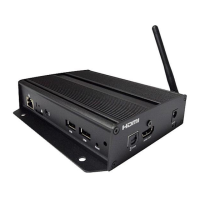
Ifitisamediaplayer,connectittoamonitorviaanHDMIcable.
Ifitisasignboard(withbuilt‐inscreen),nomonitorisrequired.However,asignboardplayercanstillbe
connectedtoamonitorviaHDMIfo rlargerdisplayarea.
WhenusinganHDMIconnection,
audioissentalongwithvideoovertheHDMIcable,sonoadditionalcablesare
required.
1 AttachtheACpoweradaptertopowerontheunit.Afterapproximately15seconds,thebootinganimation
willbedisplayedonscreenasshownbelow:
2 Theboot‐upprocesstakesapproximately40secondstocomplete.
TroubleshootingTipsformediaplayers
Theoperationindicatorslightup,butnovideoisdisplayedonscreen
Ensurethatyourvideocable(HDMI)issecurelyconnected.WhenusinganHDMIconnection,
choosehighquality,certifiedHDMIcablesortryusingshorterlengthcables
Checkif


 To Next Page