EasyManua.ls Logo

IBM 3270 - Page 57

IBM 3270
330 pages
Print Icon
To Next Page IconTo Next Page
To Previous Page IconTo Previous Page
Loading...
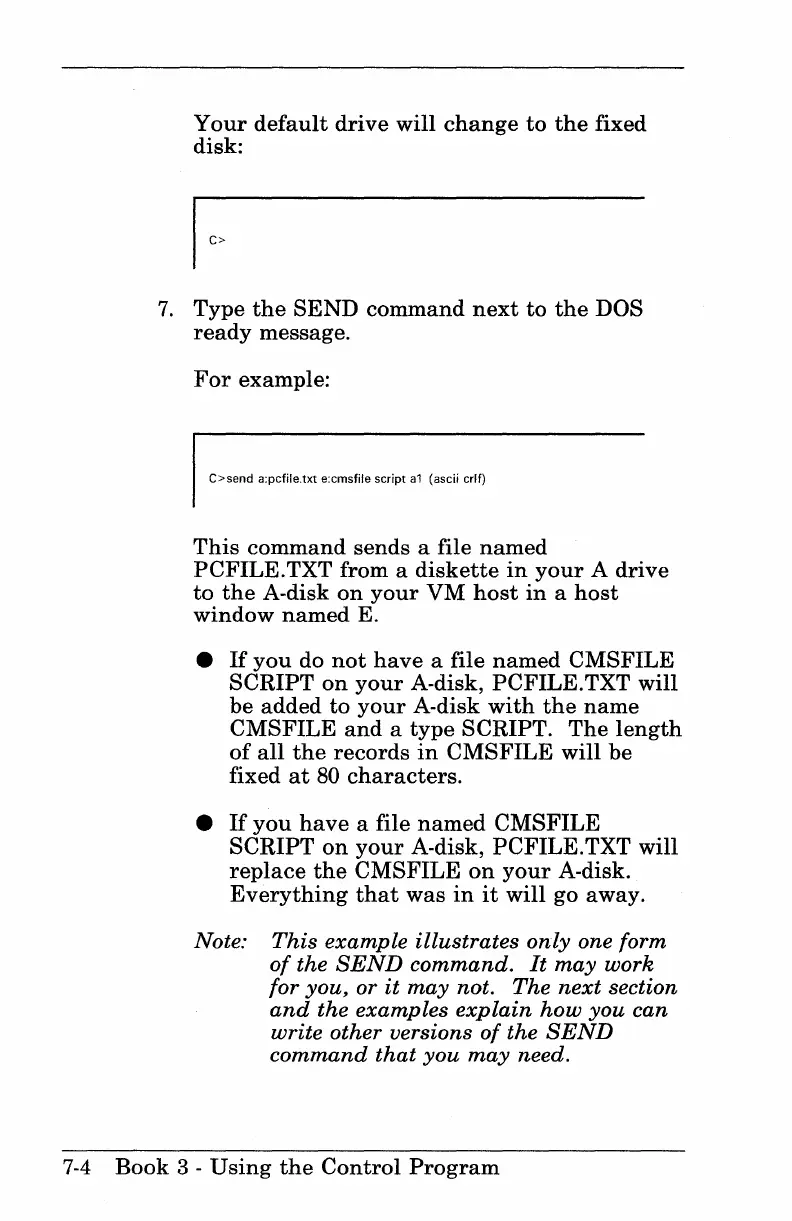
Your
default
drive
will
change
to
the
fixed
disk:
7.
Type
the
SEND
command
next
to
the
DOS
ready
message.
For
example:
C>send a:pcfile.txt e:cmsfile script
a1
(ascii crlf)
This
command
sends a file
named
PCFILE.
TXT from a
diskette
in
your
A
drive
to
the
A-disk
on
your
VM
host
in
a
host
window
named
E.
If
you
do
not
have
a file
named
CMSFILE
SCRIPT
on
your
A-disk,
PCFILE.
TXT will
be
added
to
your
A-disk
with
the
name
CMSFILE
and
a
type
SCRIPT.
The
length
of
all
the
records
in
CMSFILE
will
be
fixed
at
80
characters.
If
you
have
a file
named
CMSFILE
SCRIPT
on
your
A-disk,
PCFILE.TXT
will
replace
the
CMSFILE
on
your
A-disk.
Everything
that
was
in
it
will go away.
Note:
This
example
illustrates
only
one form
of
the
SEND
command.
It
may
work
for you, or
it
may
not.
The
next
section
and
the examples
explain
how
you
can
write other versions
of
the
SEND
command
that
you
may
need.
7-4
Book
3 -
Using
the
Control
Program

Table of Contents

Other manuals for IBM 3270

Related product manuals