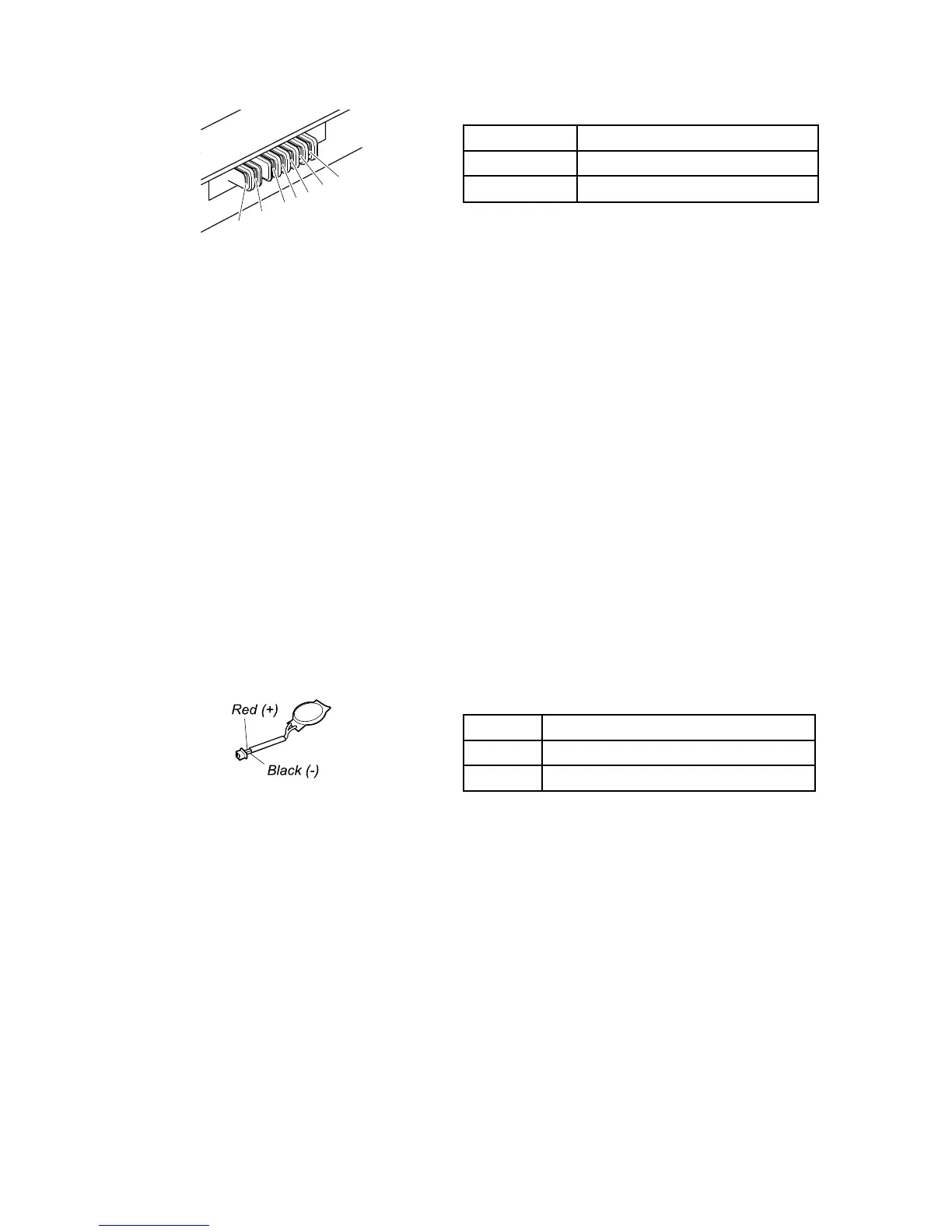
3.Ifthevoltageislessthan+11.0Vdc,theexternalbatterypackhasbeendischarged.
Ifthevoltageisstilllessthan+11.0Vdcafterrecharging,replacetheexternalbatterypack.
4.Ifthevoltageismorethan+11.0Vdc,measuretheresistancebetweenbatteryterminals5and7.The
resistancemustbe4to30KΩ.Iftheresistanceisnotcorrect,replacetheexternalbatterypack.Ifthe
resistanceiscorrect,replacethesystemboard.
Checkingtheoperationalcharging
Tocheckwhetherthebatterypackchargesproperlyduringoperation,dothefollowing:
1.Dischargethebatterypackuntiltheremainedbatterypowerislessthan50%.
2.Connectthecomputertoacpowertochargethebatterypack.IfthebatterystatusiconintheWindows
notificationareaindicatesthatthebatterypackisnotcharging,removethebatterypackandletit
returntoroomtemperature.
3.Reinstallthebatterypack.Ifthebatterypackisstillnotcharging,replacethebatterypack.
4.Checkthebatterystatusiconagain.Ifthesameerrorstillexists,replacethesystemboard.
Checkingthecoin-cellbattery
Tocheckthecoin-cellbattery,dothefollowing:
1.Removethecoin-cellbattery.See“1130Coin-cellbattery”onpage84.
2.Measurethevoltageofthecoin-cellbattery.Seethefollowingillustration.
Wire
Voltage(Vdc)
Red+2.5to+3.2
Black
Ground
•Ifthevoltageiscorrect,replacethesystemboard.
•Ifthevoltageisnotcorrect,replacethecoin-cellbattery.
•Ifthecoin-cellbatterydischargesquicklyafterreplacement,replacethesystemboard.
28ThinkPadL460HardwareMaintenanceManual


 To Next Page