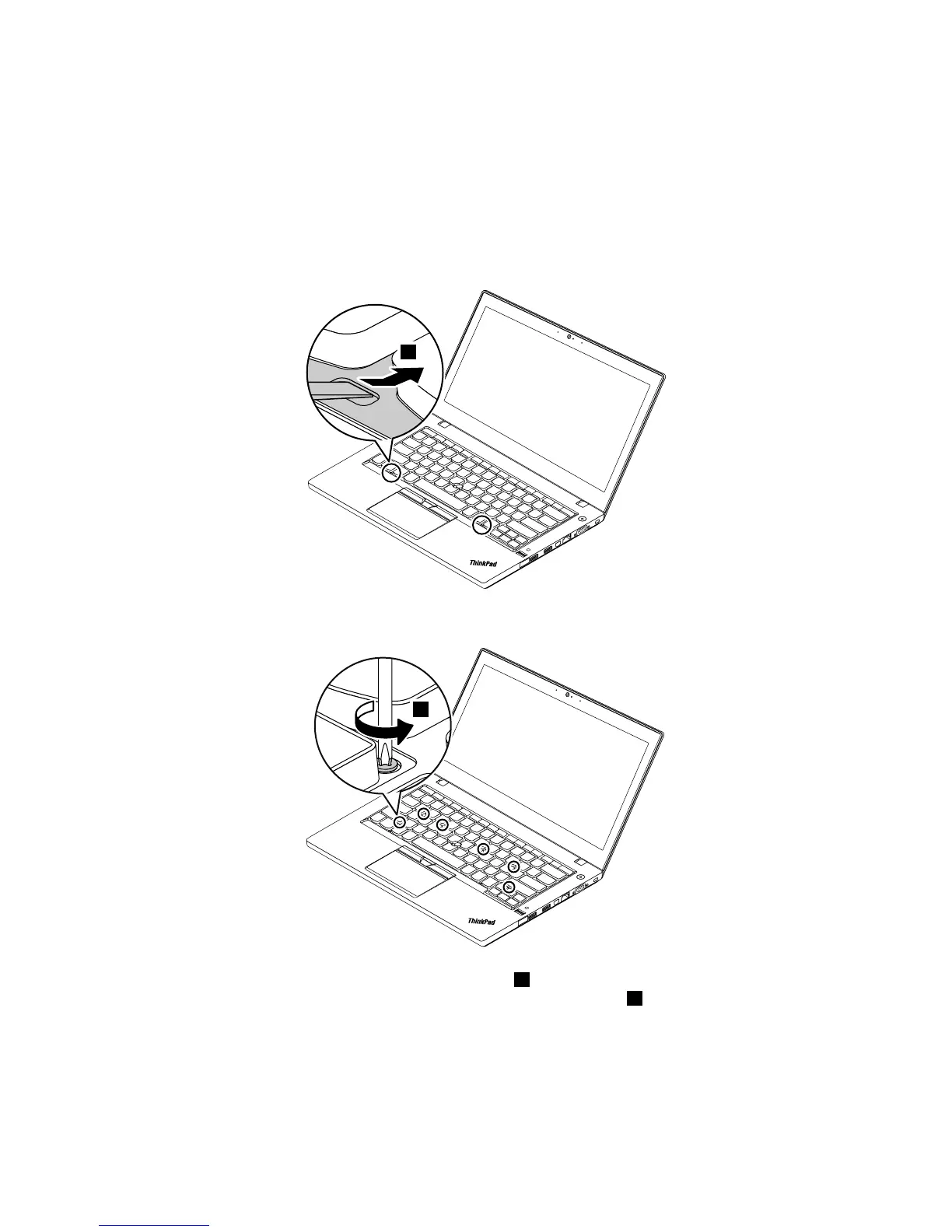
Removalstepsofthekeyboard
Note:Dependingonthecomputermodel,yourcomputermightlookdifferentfromtheillustrationsin
thistopic.
Usetheflatendofthekeyboardmulti-tooltoslidethekeyboardframeforwardby2.5mm(0.1inch).The
screwheadsbeneaththekeyboardframeareexposed.
Note:Donotpressorholdthekeyswhileslidingthekeyboardframe.Otherwise,thekeyboardframe
cannotbemoved.
Pivotthekeyboardslightlyupwardasshownbythearrow3untilyoucanseetheconnectorsonthebottom
sideofthekeyboard.Thenturnoverthekeyboardasshownbythearrow4.
Chapter9.RemovingorreplacingaFRU65



 To Next Page