23
Manual and Operation
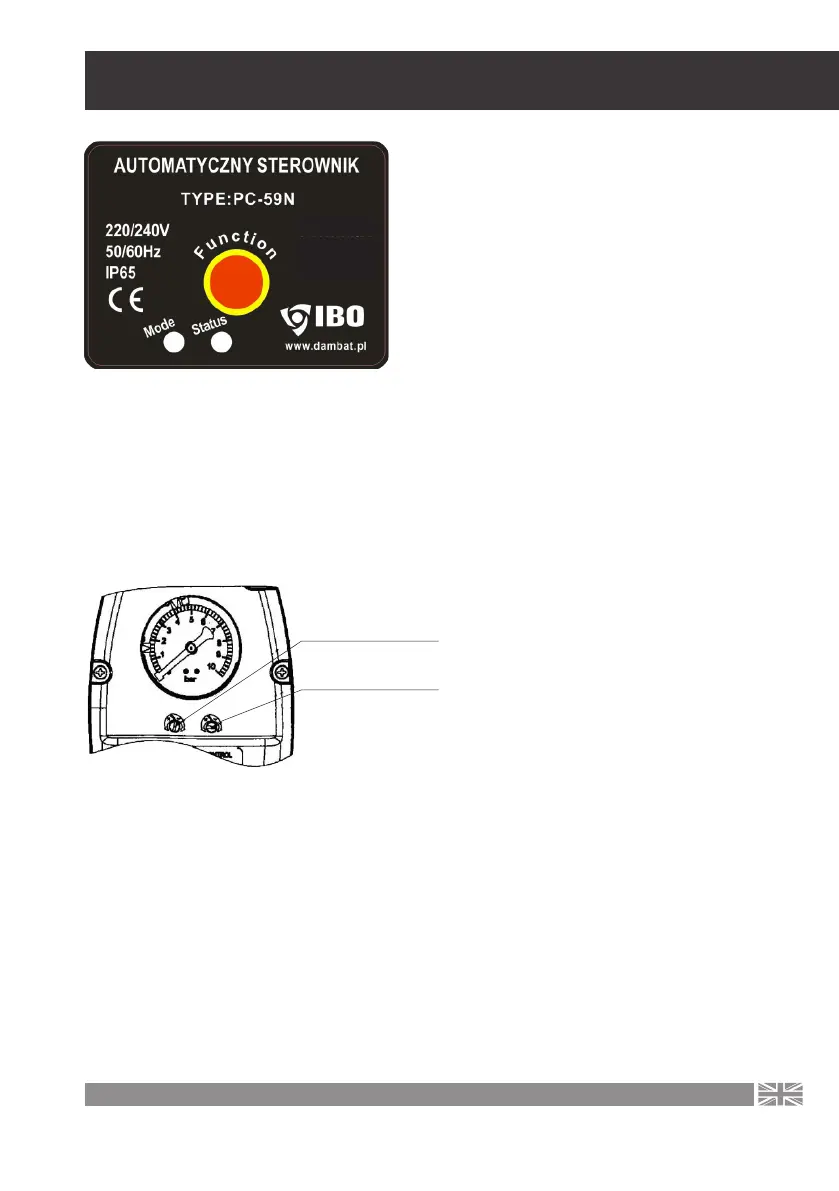
The PC59 device can work in two control
modes with the „Function” switch. After
the pump has stopped, a short press
of the „Function” button will start the
pump manually. To change the mode,
hold down the „Function” button for 6
seconds, then depending on the current
mode, the controller will switch to the
next mode.
Mode 1 is indicated by the green „Mode” light, Mode 2 is indicated by the red „Mode” light
Mode 1– pressure control.
Setting this mode causes the device to work by controlling the system pressure. The user
sets the cut-o and on pressure with two knobs located under the pressure gauge.
The settings are shown on the pressu-
re gauge dial. In this mode, the device
will turn o the pump when the cut-
-o pressure is reached. The shutdown
occurs approx. 3 seconds after the
shutdown pressure is reached and the
yellow „Status” indicator light turns o.
In this mode, the device should work
when it cooperates with a hydrophore
tank. The cut-o pressure should not
be set close to the maximum pressure
delivered by the pump.
Adjusting screw for
cut-o pressure
Adjusting screw for
cut-in pressure
The cut-o pressure in pressure control mode should be at least 0.3-0.5 bar lower than the
maximum pump pressure. It is also worth remembering not to set too small a pressure
dierence between the setting of the pressure on and o. In such a situation, the pump
will start up very often, which may lead to its failure, in such a situation the repair costs will
be borne by the user.
1,1 kW max
10 bar max
10 A max



 To Next Page