EN-6
Before Using
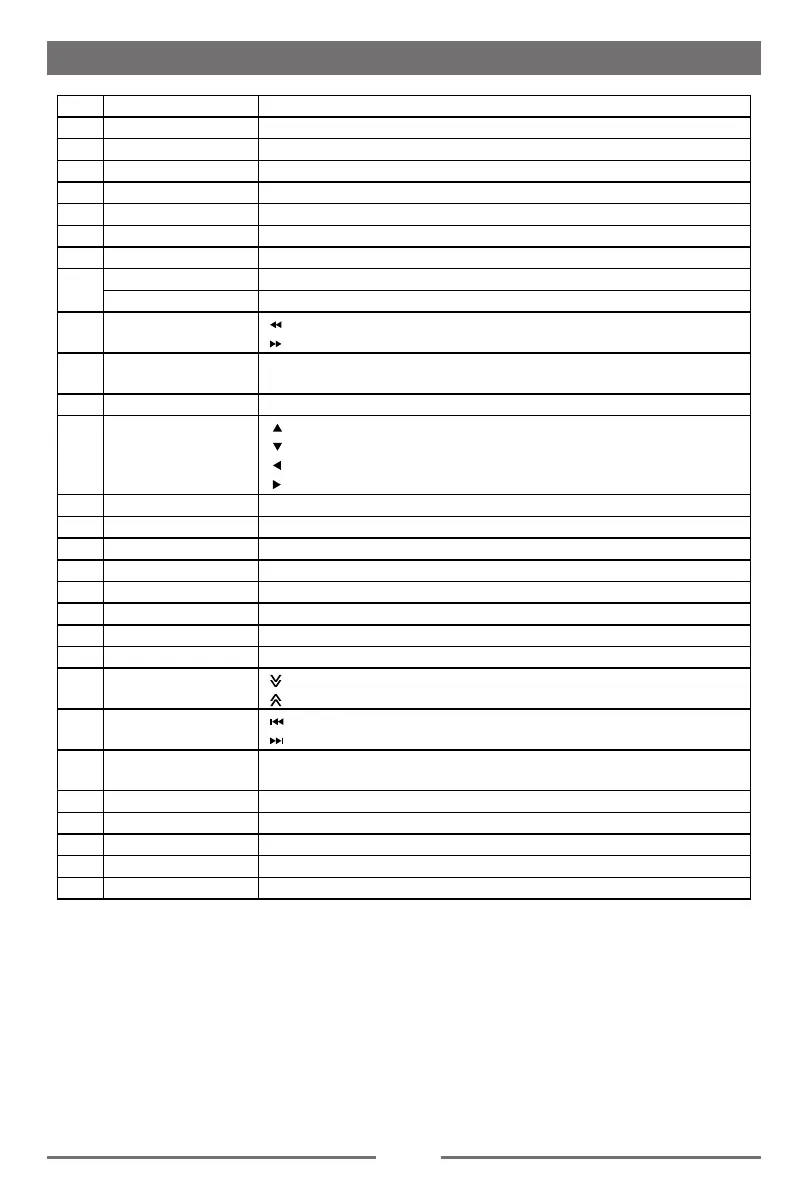
Key Operation Description
1 Press Change Current Source.
2 Press TFT Display Close/Open.
3 Press
Enter the DVD menu.
4 Press
Enter the
DVD Title.
5 Press
Zoom in /out on an image.
6 Press
Select radio band
7 Press Naviation/Power On
8
Press Dimmer Mode
Press and hold TFT Display Off
9 Press
[
]-
Fast Reverse
[ ]-
Fast Forward
10 Press
Slowly Play
Dial call
11 Press Conrm
12 Press
[
]-Play Photo:UP-DOWN Mirror; Play Disc:Select Files.
[ ]-Play Photo:Left-Right Mirror; Play Disc:Select Files.
[ ]-Return To Play List
[ ]-Play Photo:Clockwise Rotation ; Play Disc:Select Files.
13 Press Stop Play
14 Press Number Input
15 Press Return to Main Menu
16 Press Power On/Off
17 Press Photo Angle Select
18 Press DVD Subtitle
19 Press Repeat A-B
20 Press
Repeat playback of current chapter
21 Press
[
]-
Decrease display angle (TILT-).
[ ]-
Increase display angle (TILT+).
22 Press
[
]-
Previous
[ ]-
Next
23 Press
Random Play
Hang up
24 Press Increase/Decrease Volume
25 Press
Pause playback/Start playback.
26 Press
Toggle on/off audio output.
27 Press Audio Channel Select.
28 Press Number 10+,20+,30+…100+… Select.


 To Next Page