06
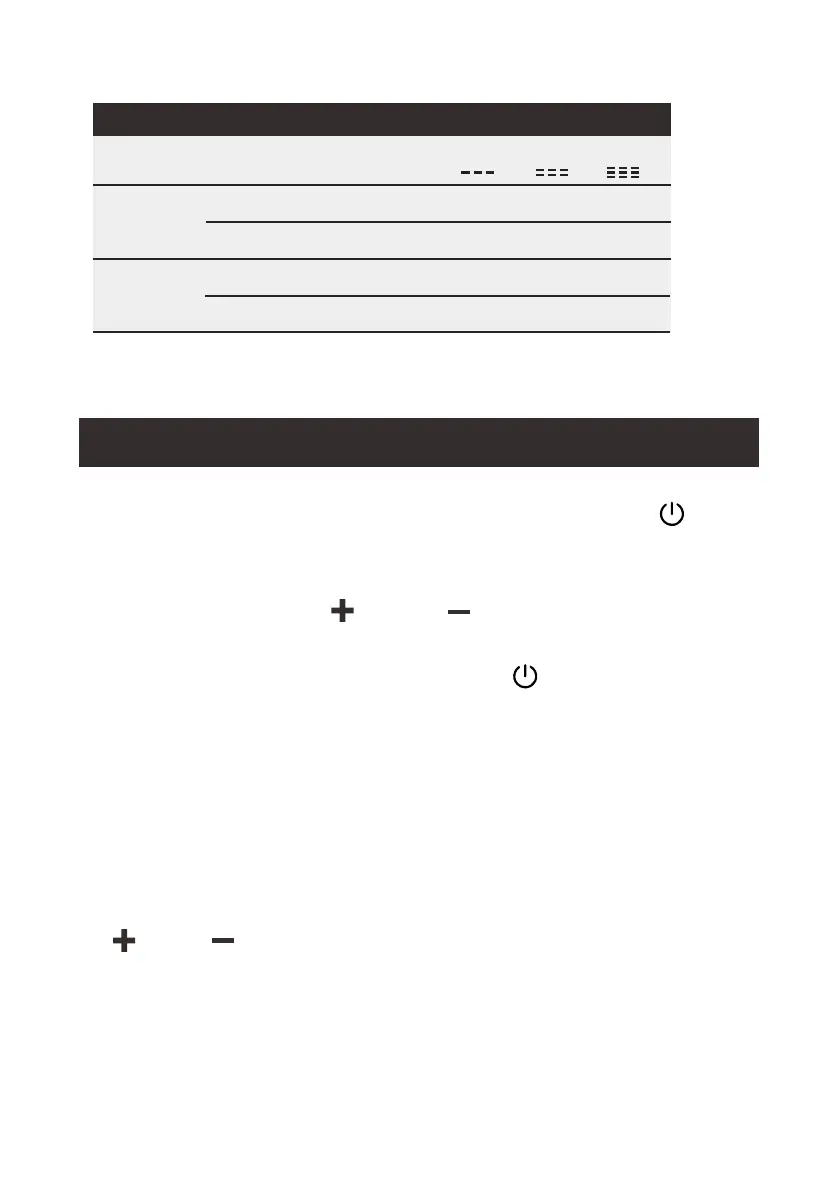
CUT IN (V)
CUT OFF (V)
CUT IN (V)
CUT OFF (V)
VOLTAGE
22.7
21.3
10.9
9.6
1Bar
LOW
PROTECTION POSITION
12V
24V
24.2
22.8
11.7
10.4
2Bar
MED
25.7
24.3
12.4
11.1
3Bar
HIGH
In the power-on state (power on and press
the " " button to turn on the refrigerator;
the screen will display the temperature in the
power-on state), press and hold the " "
and " " buttons at the same time to enter
the advanced menu settings. After entering
the menu, press the " " button briey to
cycle through the functions of refrigerator
operation mode setting - battery protection
level setting - Celsius Fahrenheit switching,
and so on.
2.4 Switch Between °C to °F
When cycling to the Celsius Fahrenheit
switching function the screen will show the
" " or " " icon. Switch the temperature
unit by short pressing the " " or " " button.
Wait for 3 seconds after adjustment to save
the settings automatically.
°C
°F
In the power-on state (power on and press the " "
button to turn on the refrigerator; the screen will
display the temperature in the power-on state),
press and hold the " " and " " buttons at the same
time to enter the advanced menu settings.
After entering the menu, press the " " button briey
to cycle through the functions of refrigerator operation
mode setting - battery protection level setting - Celsius
Fahrenheit switching, and so on.
When cycling to the Celsius Fahrenheit switching
function the screen will show the " " or " " icon.
Switch the temperature unit by short pressing the
" " or " " button. Wait for 3 seconds after
adjustment to save the settings automatically.
2.4 Switch Between °C to °F
°C °F


 To Next Page