10
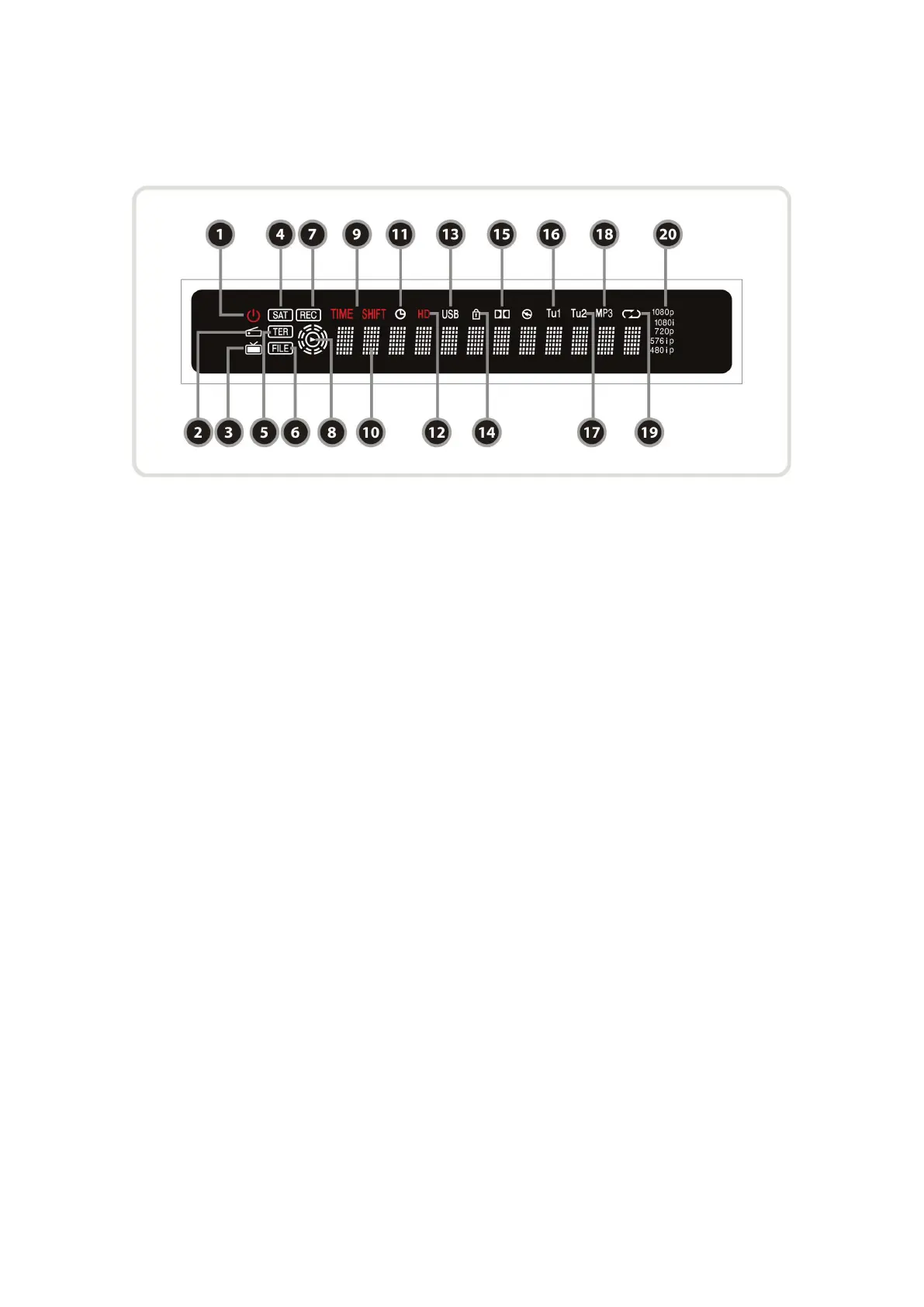
2. VFD(Vacuum Fluorescent Display)
1. Remote Indication LED : The LED lights up when a key on the Remote Controller is pressed.
2. Radio icon : The icon lights up when you change the radio service.
3. TV icon : The icon lights up when you change the TV service.
4. SAT : Satellite mode.
5. TER(Option) : Terrestrial mode.
6. FILE : Turned on when file list is displayed in the SATA HDD or USB Storage Device.
7. REC : Turned on during recording.
8. PLAY Mode : Turned on when you play the file on file list. (SATA HDD, USB Storage Device)
9. TIME SHIFT : Turned on during Time-shift.
10. Information : Display information including service name and other information.
11. TIMER : Turned on when timer is set.
12. HD : Turned on during HD service.
13. USB : Turned on during USB device working.
14. LOCK : Turned on during lock service.
15. Dolby : Turned on during Dolby service.
16. Tu1 : Turned on when using Tuner1
17. Tu2 : Turned on when using Tuner2
18. MP3 : Turned on during MP3 playback.
19. Repetition(*) : Turned on during recording repeatedly.
20. Resolution : Turned on and indicating current Resolution setting.
NOTE : (*) This icon(Repetition) will be supported later, by new s/w version by upgrading. Please
refer to your local dealer / distributor.


 To Next Page