12
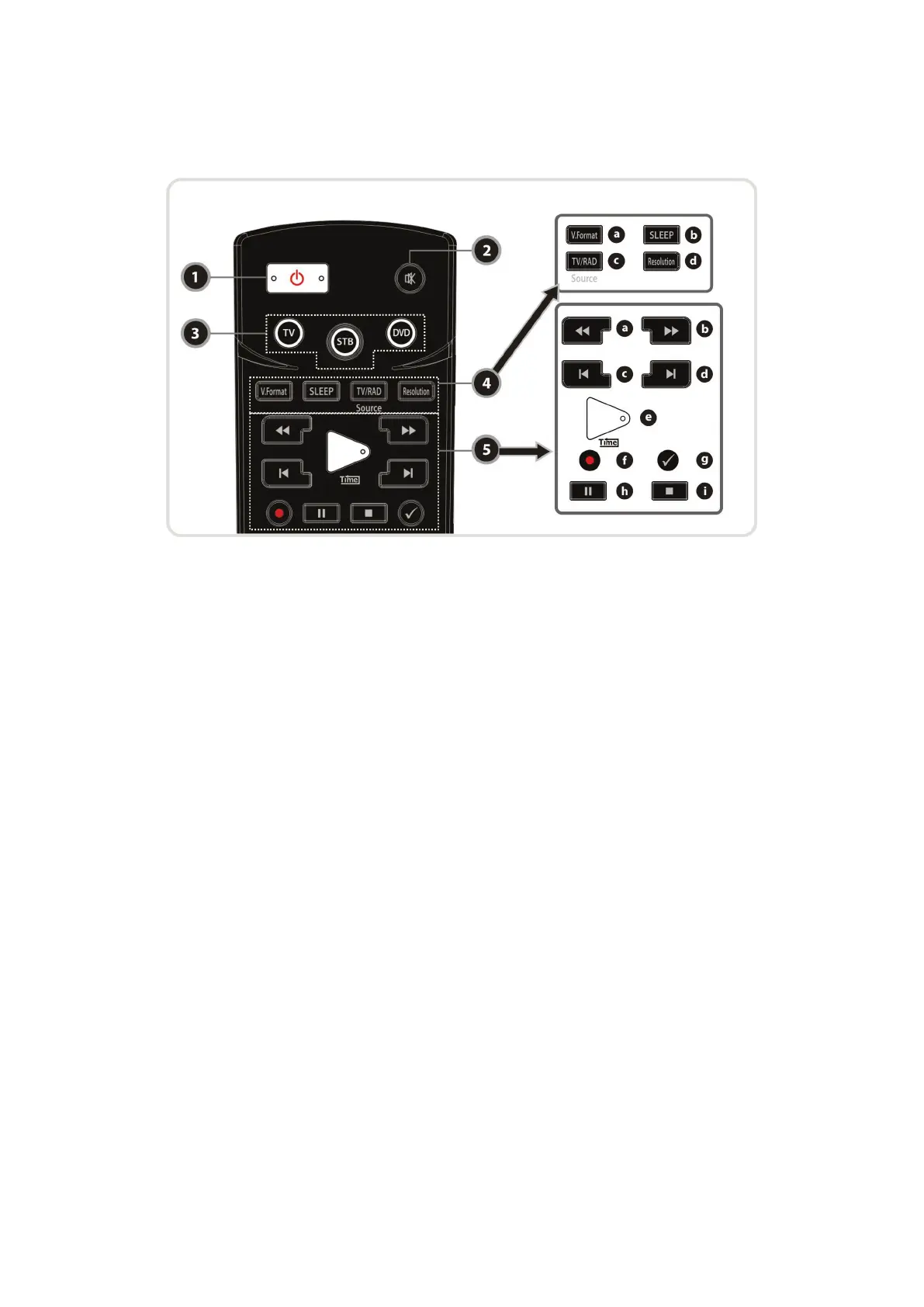
4. Remote Control Unit
1. POWER : Turns the STB On/Off.
2. MUTE : Turns the sound On/Off.
3. Universal Buttons
a. Universal TV : Change the TV Remote Controller.
b. STB : Change the STB Remote Controller.
c. Universal DVD : Change the DVD Remote Controller.
4. MODE
a. V.Format : To select the TV types.(PAL/NTSC)
b. Sleep : To adjust sleep timer.
c. TV/RADIO : Switches between TV and Radio.
d. Resolution : To select the resolution format. Each time you press the Resolution button, the
resolution changes in the following sequence: 576i > 576p > 720p > 1080i
5. Playback Control Buttons
a. Rewind : Rewinds at high speed. Each time you press this button the rewind speed is increased.
b. Fast Forward : Fasts forward at high speed. Each time you press this button the speed is increased.
c. Previous File : To play the previous MP3 file in MP3 play mode. This button is also used to jump
back to beginning of recording during a playback.
d. Next File : To play the next file. This button is also used to jump to end of recording during a
playback.
e. Play / Time shift : Display the progress bar of playback when no progress bar is displayed. Start
playback with normal speed. Return to normal speed from trick mode..
f. Recording : To start Recording.
g. Repetition (*): This key is used to play back a recording repeatedly.
h. Pause : This key is used to pause the video. Press once more to resume the video.
i. STOP : To stop time shifting, play back or recording.
NOTE : (*) This button(Repetition) will be supported later, by new s/w version by upgrading.
Please refer to your local dealer / distributor.


 To Next Page