14
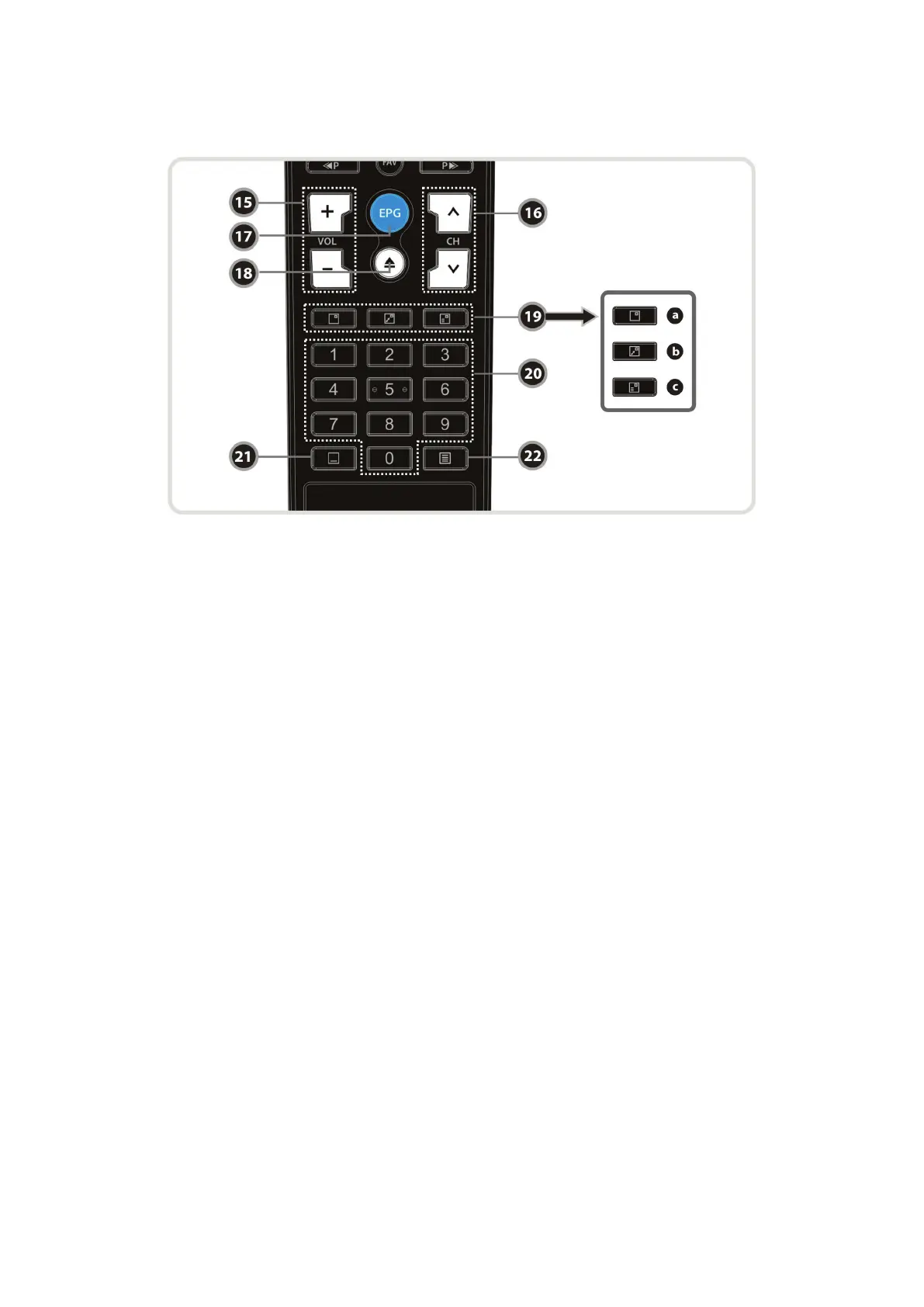
15. Volume Up & Down : To change the Volume.
16. Channel Up & Down: To change the TV or Radio service channel.
17. EPG(Electronic Program Guide) : Show the TV/Radio program guide.
18. Play List : To show the file list in the SATA HDD or USB Storage Device.
19. PIP Buttons
a. PIP(Picture in Picture) : To open the PIP window.
b. PIP Swap : Switching between main-picture and sub-picture
c. PIP(Picture in Picture) Service List : To shown the sub-picture service list.
20. Numeric : Controls the numerical operation and service numbers directly.
21. Subtitle : To show multilingual subtitle.
22. Teletext : To show the digital teletext.


 To Next Page