406DUO V1.2.0
Synchronous Balance Charger/Discharger
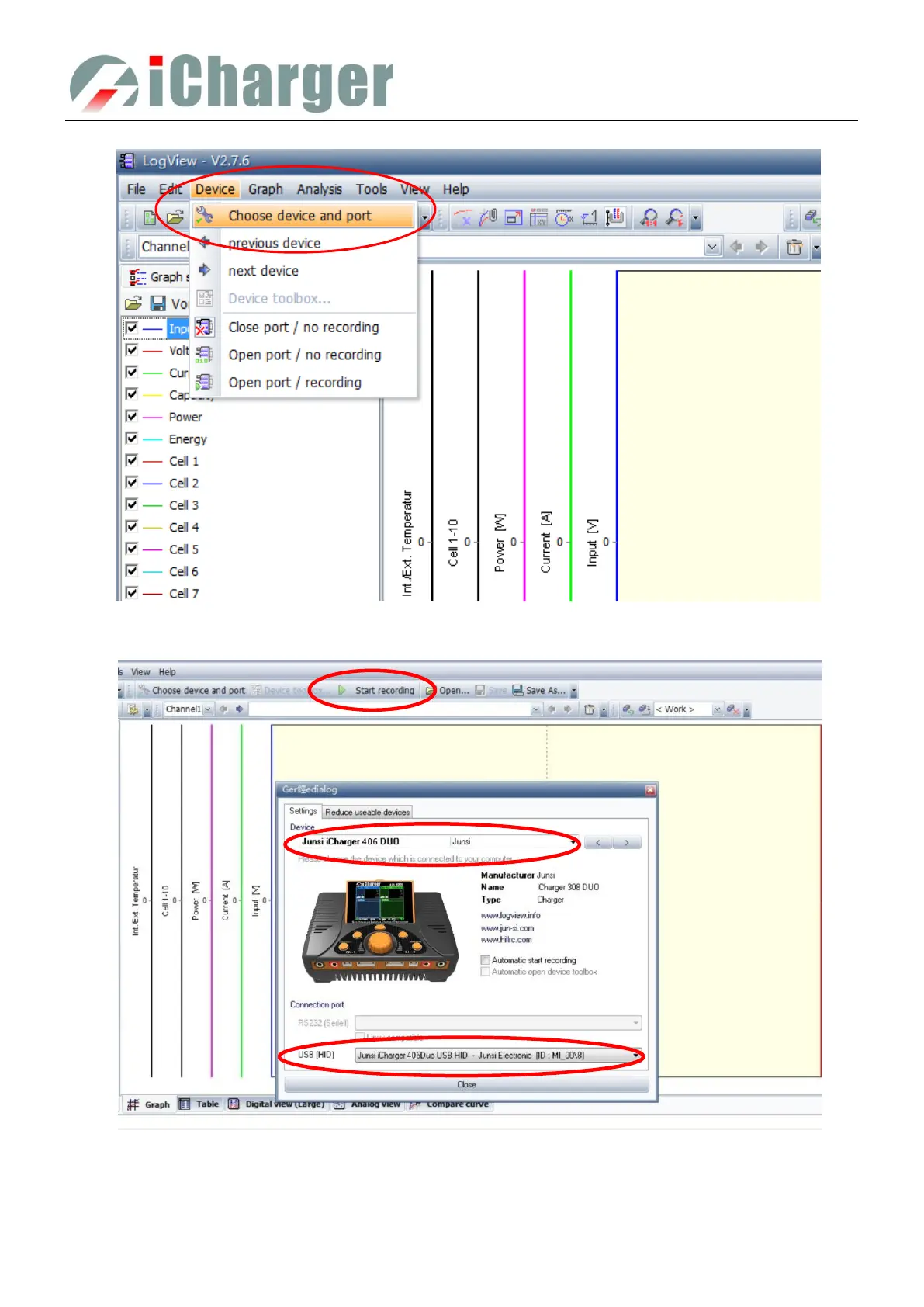
2) Choose Device →Choose device and port;
3) Choose Junsi iCharger406DUO in the following options of Device, and then choose the correct
communication Port;
4) Start iCharger charge/discharge mode, then click Start recording to record data. See other functions of
this software in "Help" of LogView.



 To Next Page