406DUO V1.2.0
Synchronous Balance Charger/Discharger
Charging Battery
Lithium Battery Extra Discharge Mode
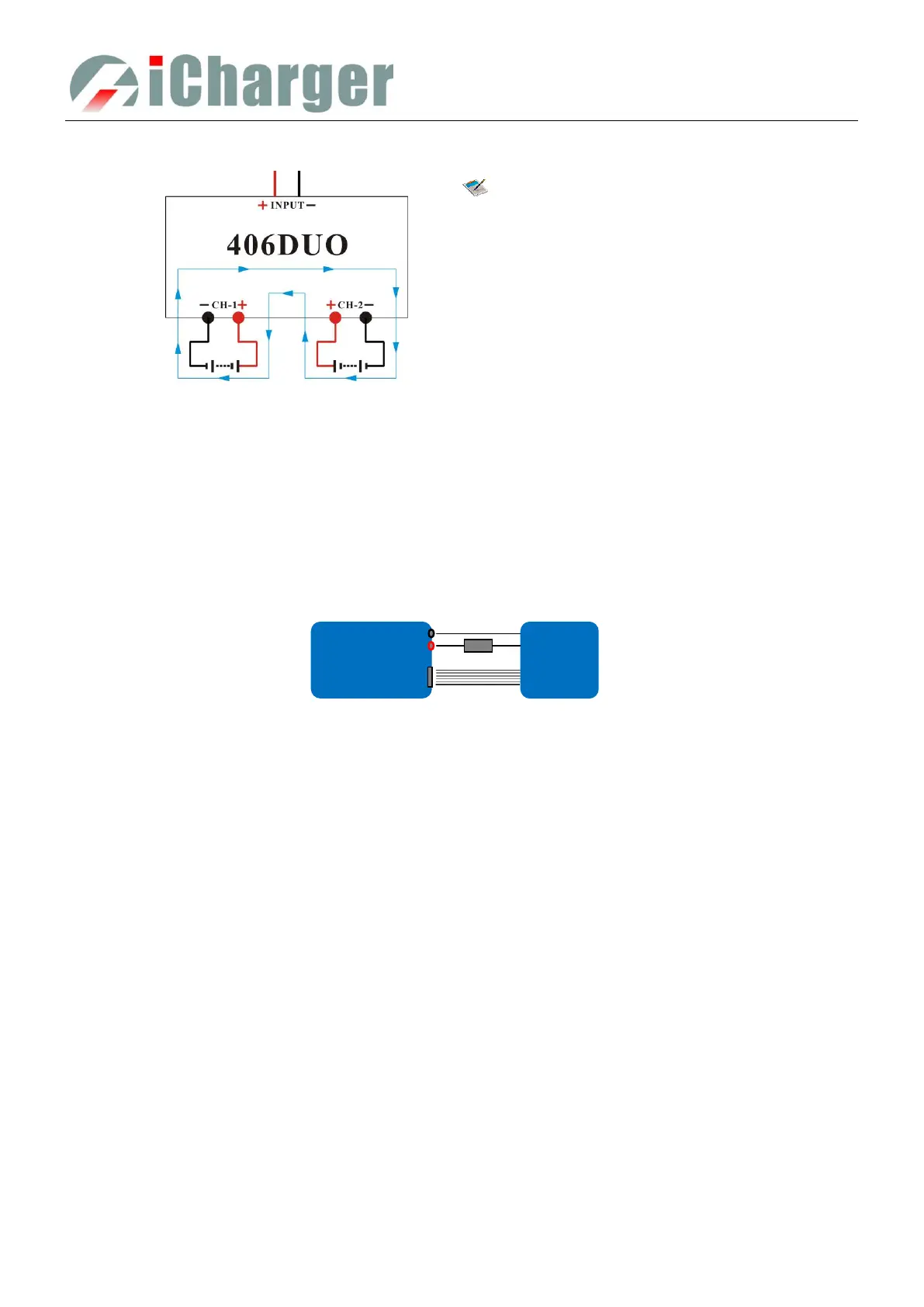
You can expand the iCharger’s discharge power capacity by connecting the external capacity resistance. You should pay
special attention when expanding the discharge circuit. The balance port must be connected to the battery and the
expanding capacity resistance R should be connected in series to the positive connection. (See the following diagram)
In this mode, the lithium battery discharges through the iCharger and R, P = Pi + Pr, (Pi is the charger’s wasted power
capacity; Pr is wasted power capacity by resistance). Pi is limited by the set charger’s maximum discharge power
capacity.
External capacity resistance’s setting:
R = Vbat / Iset;
P = Vbat * Iset;
R: The value of the external capacity resistance
P: Rating capacity of the external capacity resistance
Iset: Discharge current
Vbat: Battery voltage
For example: discharge a pack of 20V lithium battery at 7A
R = 20V / 7A = 2.85Ω
P = 20V X 7A = 140W
Battery as the load:
1. In any channel of the charger, MEMORY
SETUP→ Discharge→ Regenerative Mode→ To
channel, to select Charging battery; then connect the
battery for discharging to this channel, and start the
discharge program,and this channel will be in
discharging stand by status;
2. Connect the battery as the load to another channel
of the charger, and start the charge program; the
discharging channel is activated accordingly;
3. Press STOP/START button of any channel during
the program running process to end the running
status.



 To Next Page