Bluetooth on your device, then turn it back on, and re-pair.
4. Reboot your device to refresh the system.
5. Ensure that your device's operating system is up to date.
6. Try connecting the keyboard to another device to verify if the issue persists.
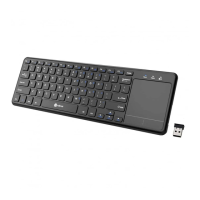
Please note that for iOS and iPad OS users, you may need to enable Assistive Touch for accessing
the touchpad, please go to Settings > Accessibility > Touch > Assistive Touch.
Touchpad Sensitivity
Mac OS/Windows:
Please note that touchpad sensitivity adjustment is not available on Mac and Windows systems.
iOS:
Setting > General > Trackpad & Mouse > follow on-screen instructions.
Android:
possible solution:
Settings - Mouse & touchpad- Additional mouse options - Pointer Options- Move "Select a
pointer speed" to fast, tick "Enhance pointer precision".
Please note that the exact settings may vary depending on the device brand and Android version.
Touchpad scrolling direction
Please note that the scrolling direction of the touchpad can’t be changed in any operating system.


 To Next Page