6
2
PANEL DESCRIPTION
1
2
3
4
5
6
7
8
9
10
11
12
13
14
15
16
y BELL INDICATOR
Appears/blinks when the matched signal is received, ac-
cording to the pre-programming.
u CALL CODE MEMORY INDICATOR
Appears when the call code memory is selected.
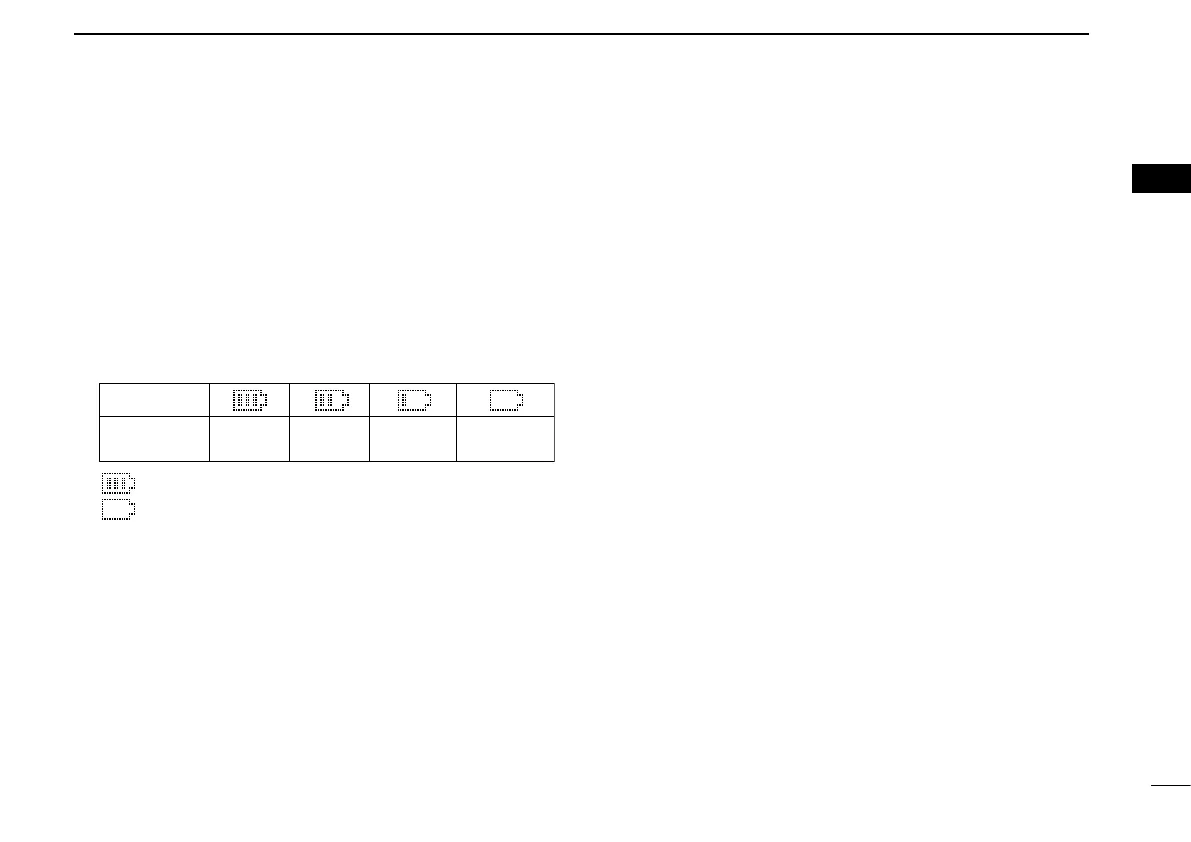
i BATTERY INDICATOR
Appears or blinks when the battery power decreases to a
specified level.
Indication
Full Middle
Charging
required
No batteryBattery level
blinks when the battery is exhausted.
blinks when the battery is over charged.
o ALPHANUMERIC DISPLAY
➥ Displays an operating channel number, channel name,
Set mode contents, DTMF code, etc.
➥ The indication mode can be selected from 1 line or 2
lines. Ask your dealer for details.
• In this instruction manual, the LCD illustration is described
using the 2 lines indication mode.
!0 KEY INDICATOR
Indicate the programmed function of the front panel keys
([P0], [P1], [P2] and [P3]).
■ Programmable function keys
The following functions can be assigned to [EMR], [Side1],
[Side2], [Side3], [P0], [P1], [P2] and [P3] programmable
function keys.
Consult your Icom dealer or system operator for details con-
cerning your transceivers programming.
If the programmable function names are bracketed in the fol-
lowing explanations, the specific key is used to activate the
function depends on the programming.
CH UP AND DOWN KEYS “UP” “DOWN”
➥ Push to select an operating channel. When [Rotary selec-
tor] selects “operating channel,” this key is not available.
➥ Push to select a transmit code channel after pushing
[TX Code CH Select].
➥ Push to select a DTMF channel after pushing [DTMF Au-
todial].
➥ Push to select a scan group after pushing and holding
[Scan].
➥ Push to select the desired application type, individual/talk-
group ID, TX status message and SDM (Short Data Mes-
sage) after pushing [Digital Button].


 To Next Page
 Loading...