3
1
ACCESSORIES
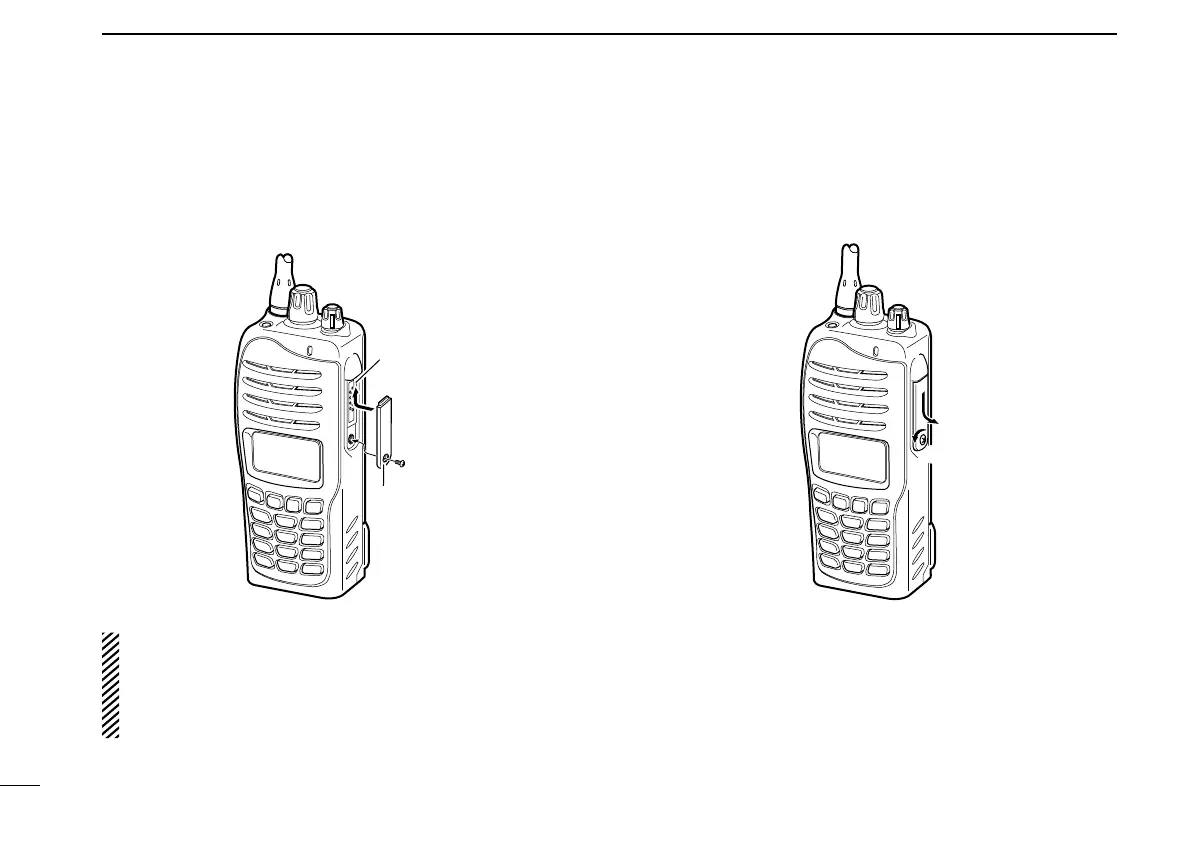
D Connector cover
To attach the connector cover:
q Insert the connector cover into the multi-connector.
w Tighten the screw.
q
w
Multi-
connector
Connector
cover
CAUTION:
Attach the connector cover when the optional equipment
is not used. Otherwise the terminals of the multi-connec-
tor may be shorted by metal object, etc., and this could
damage the transceiver.
To detach the connector cover:
q Remove the screw using a phillips screwdriver.
w Detach the connector cover for the optional equipment
connector.


 To Next Page
 Loading...