25
4
BIIS OPERATION
DD
Direct code entry
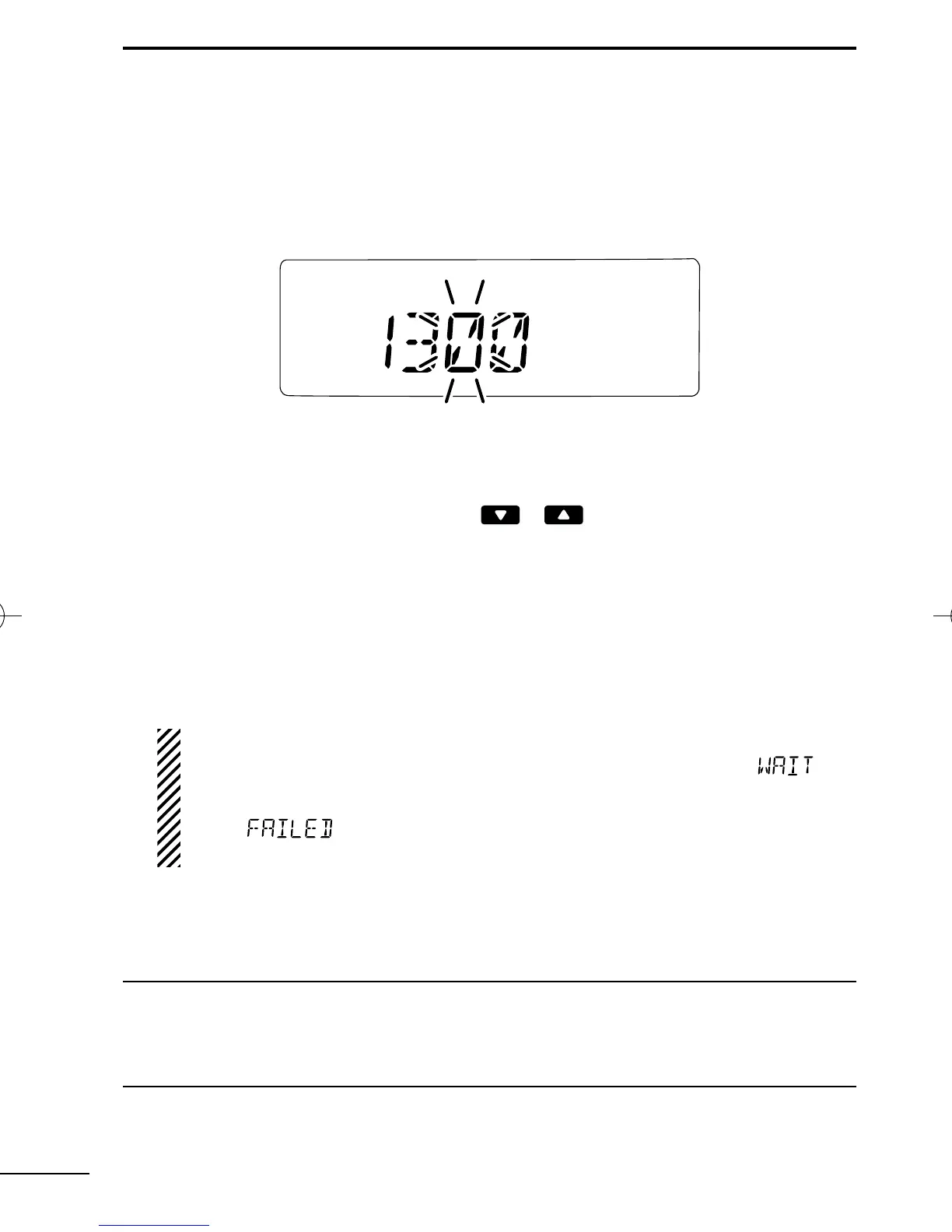
q While in the standby condition, push [TX Code Enter] to enter
the TX code edit mode.
• Editable code digit blinks.
w Push [TX Code Enter] to select the desired digit to be edited.
• Editable digit differs according to the setting.
e Set the desired digit using [ ]/[ ]/[TX Code CH Up]/[TX
Code CH Down].
r Push [TX Code Enter] to set the digit. The editable digit will move
to the right automatically.
t Repeat e and r to input all allowable digits.
y Push [P0] (Call) or [PTT]* to call.
*PTT call can be made only when PTT call capability is permitted.
NOTE: When no answer back is received, the transceiver re-
peats the call 3 times (default) automatically, and
“”is
displayed during each call. However, an error beep sounds
and
“”is displayed when no answer back is received
after the calls.
u Push [PTT] to transmit; release to receive.
i Push [P3] (Moni(Audi)) to send the “Clear down” signal.
For your information
When the “UpDate” setting for the call code is enabled, the set code
is overwritten into the call code memory.
IC-F50_F60_MDC-2.qxd 06.11.17 4:39 PM Page 25 (1,1)


 To Next Page