10
1
7
4
10
15
18
2
8
13
5
11
16
3
9
14
6
12
17
BASIC OPERATIONS
4
■ Weather channels and Weather Alert
(For only the USA version)
The USA version transceiver has 10 preset Weather channels.
The transceivers are capable* of monitoring broadcasts from the National Oceanographic
and Atmospheric Administration (NOAA). The transceiver automatically detects a Weather
alert tone on the selected weather channel, or while scanning.
*When used within range of the broadcasts.
D Selecting a Weather channel
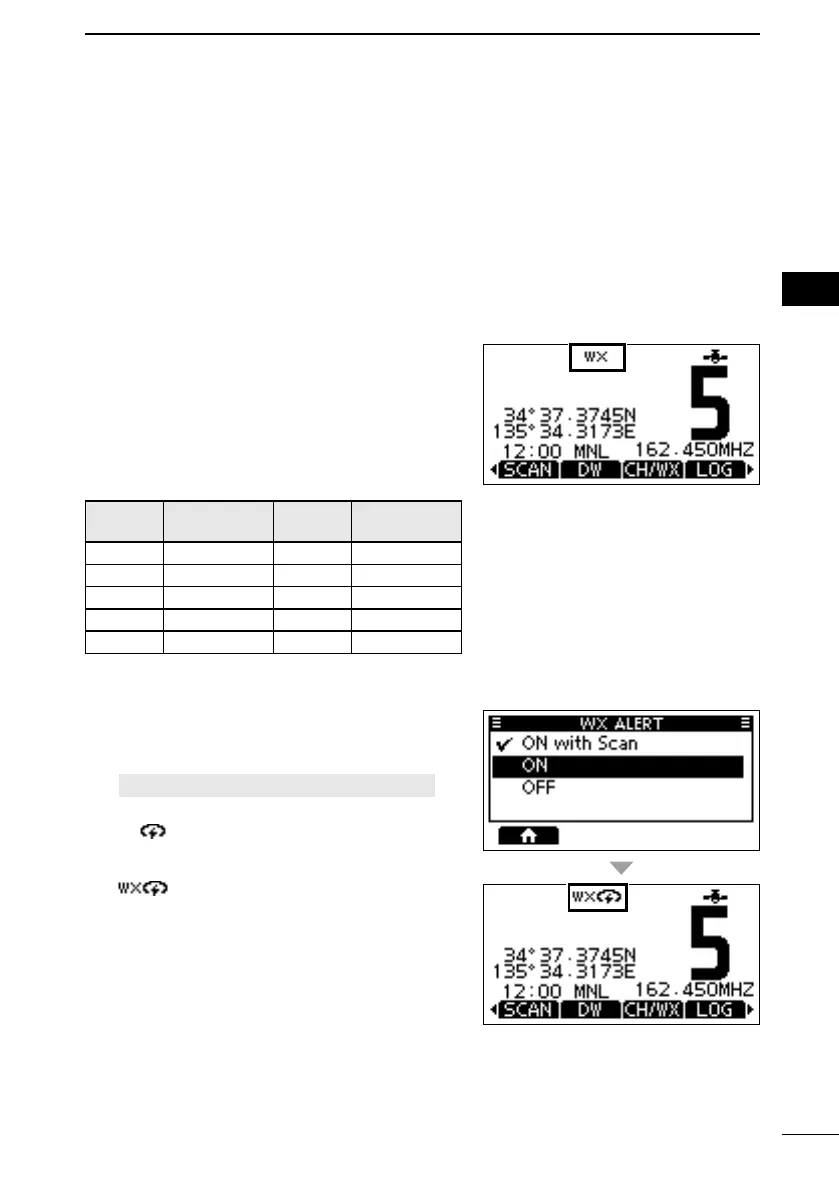
1. Push [CH/WX].
• “WX” is displayed on the operating screen
instead of the Channel Group.
2. Push [▲] or [▼], or rotate [DIAL] to select a
Weather channel.
The Weather channel list
WX
channel
Frequency
(MHz)
WX
channel
Frequency
(MHz)
1 162.550 6 162.500
2 162.400 7 162.525
3 162.475 8 161.650
4 162.425 9 161.775
5 162.450 10 163.275
D Setting the Weather Alert
To receive the weather alert, set the WX Alert to
“ON with Scan,” or “ON.”
1. Open the “WEATHER ALERT” screen.
[MENU] > Settings > Radio > WX Alert
2. Select “ON with Scan,” or “ON.”
• “ ” is displayed next to the weather channel
icon.
L “
” blinks until you push a key after
detecting an alert.
FELLECS-TECH | inbox@fellecs-tech.com | www.fellecs-tech.com



 To Next Page