11
4
BASIC OPERATIONS
■ Adjusting the volume/ squelch/backlight/
display contrast
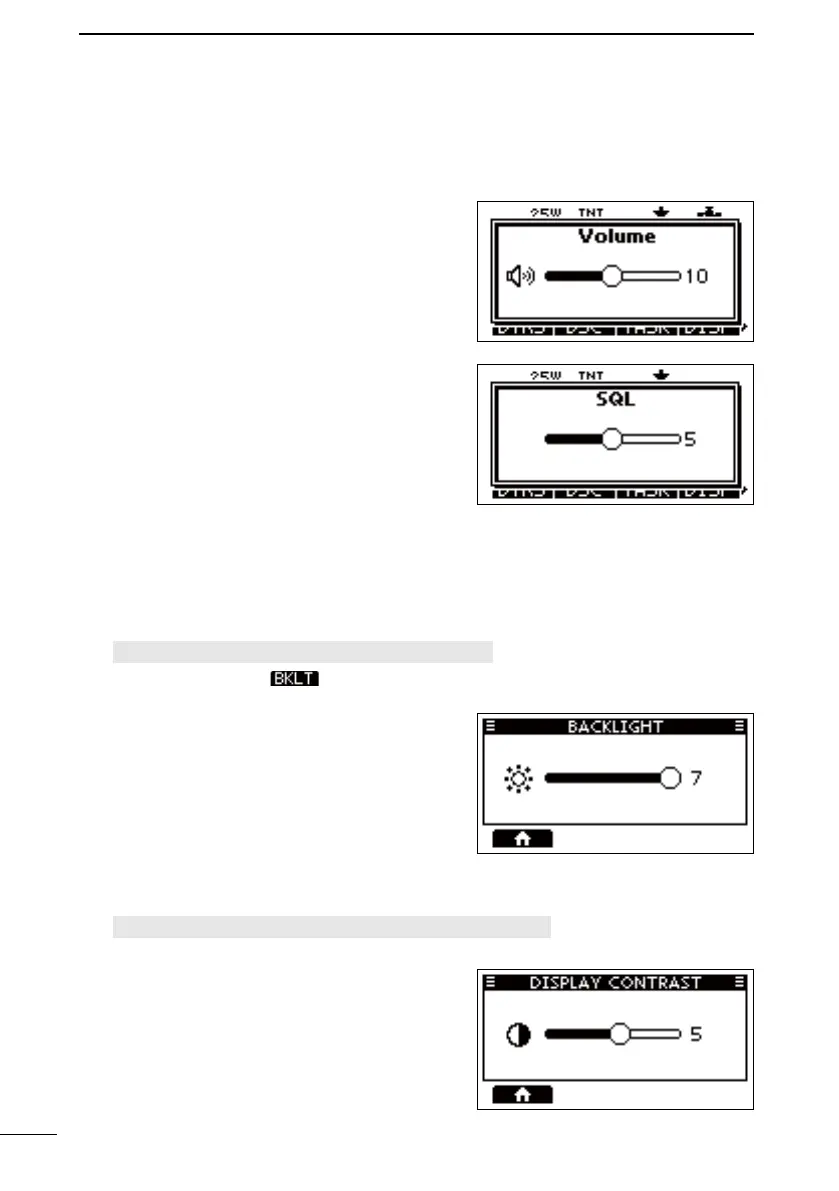
D Adjusting the volume level
Rotate [VOL] to adjust the audio volume level.
D Adjusting the squelch level
Squelch enables the audio to be heard only while
receiving a signal that is stronger than the set
level. A higher level blocks weak signals, so that
you can receive only stronger signals. A lower
level enables you to hear weak signals.
Push [SQL] one or more times and rotate [SQL]
to adjust the squelch level.
D Adjusting the backlight
The Function display and keys can be backlit for better visibility under low light conditions.
1. Open the “BACKLIGHT” screen.
[MENU] > Settings > Configuration > Backlight
L You can also push to open the “Backlight” screen.
2. Push [◄] or [►] or rotate [DIAL] to adjust the
backlight level, and push [ENT] to exit.
• The backlight level is set, and the transceiver
returns to the previous screen.
L The backlight level is adjustable in 7 levels
and “OFF.”
D Adjusting the display contrast
1. Open the “DISPLAY CONTRAST” screen.
[MENU] > Settings > Configuration > Display Contrast
2. Push [◄] or [►] or rotate [DIAL] to adjust the
display contrast, and push [ENT] to exit.
L The contrast level is adjustable in 8 levels.
FELLECS-TECH | inbox@fellecs-tech.com | www.fellecs-tech.com



 To Next Page