16
1
7
4
10
15
18
2
8
13
5
11
16
3
9
14
6
12
17
6
DUALWATCH/TRI-WATCH
(Except for the NLD version)
■ Operation
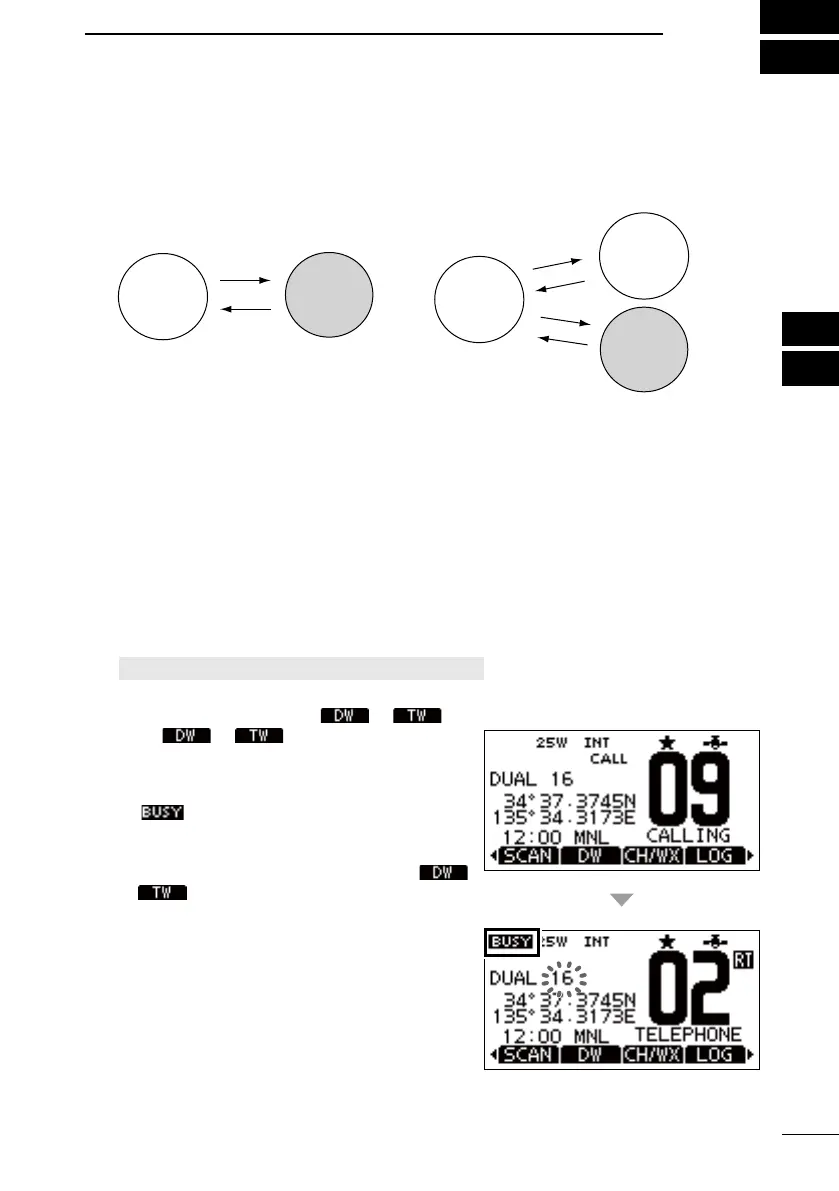
1. Select Dualwatch or Tri-watch on the Menu screen.
[MENU] > Settings > Radio > Dual/Tri-Watch
2. Push [▲] or [▼], or rotate [DIAL] to select a channel.
3. Push [◄] or [►] to display
or .
4. Push
or .
• Dualwatch or Tri-watch starts.
• “DUAL 16” is displayed for Dualwatch, or
“TRI 16” is displayed for Tri-watch.
is displayed when a signal is received.
A beep tone sounds and “16” starts to blink
when a signal is received on Channel 16.
5. To cancel Dualwatch or Tri-watch, push
or
. again.
■ Description
Dualwatch and Tri-watch are convenient to periodically check Channel 16 while you are
operating on another channel.
When a signal is received:
On Channel 16: Dualwatch/Tri-watch pauses on Channel 16 until the signal
disappears.
On the Call channel: Tri-watch switches to Dualwatch until the signal on the Call
channel disappears.
CH 16
CH 16
Dualwatch
Tri-watch
Operating
channel
Operating
channel
Call
channel
Periodically checks Channel
16 while operating on another
channel.
Periodically checks Channel 16 and
the Call channel while operating on
another channel.
FELLECS-TECH | inbox@fellecs-tech.com | www.fellecs-tech.com



 To Next Page