50
1
7
4
10
15
18
2
8
13
5
11
16
3
9
14
6
12
17
DIGITAL SELECTIVE CALLING (DSC)
7
D Dealing with ID and Priority
When controllers are connected to the transceiver, the unique ID is automatically
assigned to each controller in order from 1 to 99.
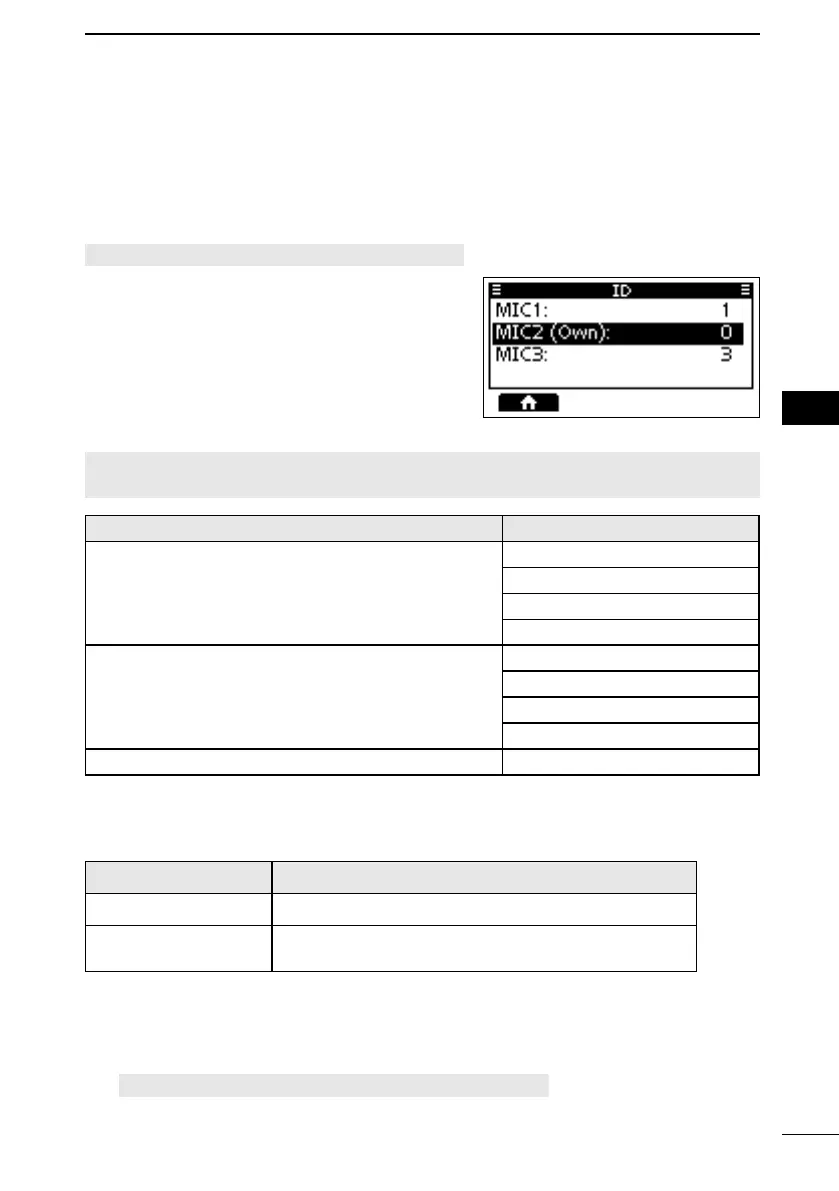
To check the current ID of each controller, open the “ID” screen.
ID
L The IDs are for display only and cannot be edited.
L “MIC3” and “” can be selected for only the
L
device itself, not by the transceiver.
NOTE: With Non-Priority Controllers, you cannot make changes to the DSC-related
Hierarchy Item
Not DSC Related
DSC Related
Distress Related
RT Related
MENU > Settings > DSC > Auto ACK >
Individual ACK
Position ACK
Polling ACK
Test ACK
MENU > Settings > DSC >
When a controller gets disconnected while holding a DSC task:
Controller Condition
Command microphone
The transceiver has not received a single sentence via
the NMEA 0183 interface in the last 2 minutes.
L
“(None)” appended.
Priority
FELLECS-TECH | inbox@fellecs-tech.com | www.fellecs-tech.com



 To Next Page