82
1
7
4
10
15
18
2
8
13
5
11
16
3
9
14
6
12
17
CONNECTIONS
11
■ Connecting to the
MA-510TR
Connect the transceiver to the MA-510TR
AIS target using the transponder without
entering the target’s MMSI code. (p. 17)
L See the MA-510TR instruction manual for
the connecting instruction.
z Connect each lead to the appropriate
lead as follows.
• Listener A (Data-H) (Yellow):
To NMEA OUT (+)
• Listener B (Data-L) (Green):
To NMEA OUT (–)
• Talker A (Data-H) (White):
To NMEA IN (+)
• Talker B (Data-L) (Brown):
To NMEA IN (–)
6AF OUT LEADS
Connects to an external speaker.
Orange: External Speaker (+)
Gray: External Speaker (–)
L
for maintenance purpose.
NOTE for NMEA In/Out and AF Out
leads: The connectors are attached
to keep the leads together. Before
connecting to a piece of equipment,
cut the leads to remove the connector.
7DC POWER CONNECTOR
Connects to a 13.8 V (USA version) or
12.0 V (EUR version) DC power source.
(+: Red, –: Black)
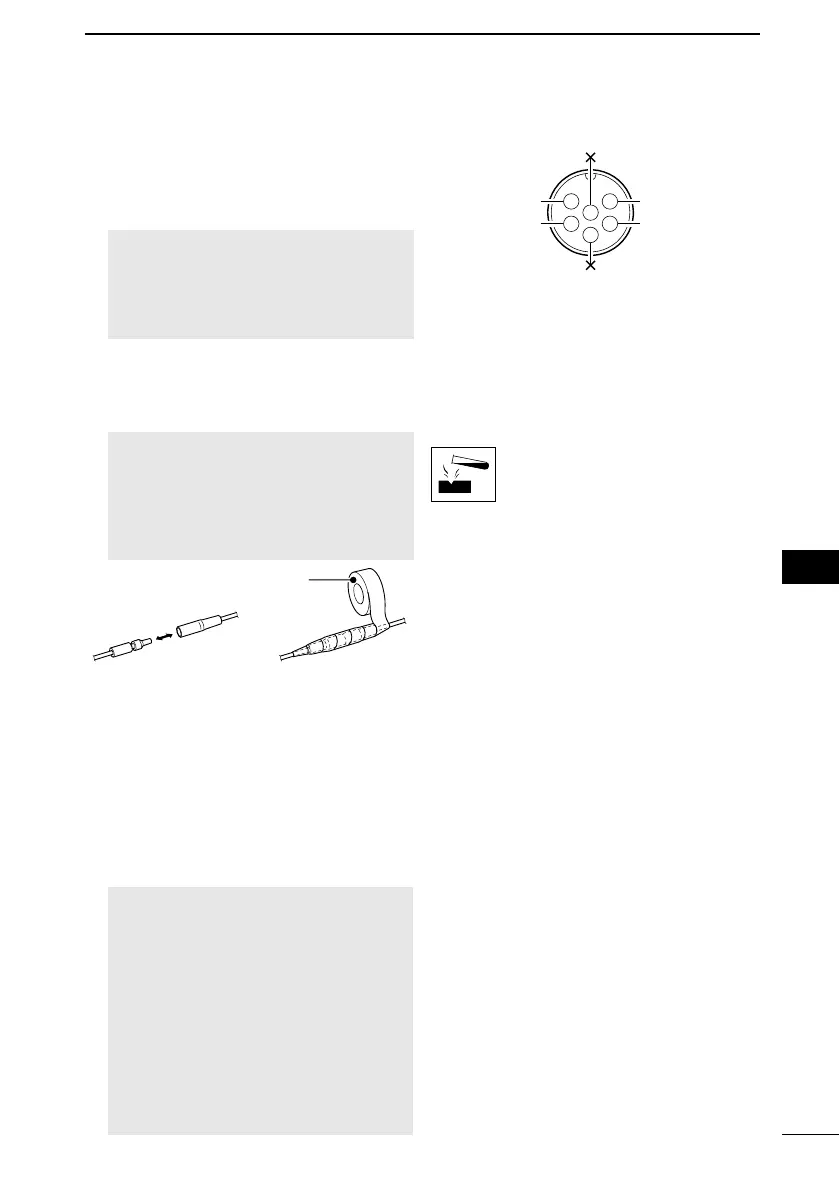
CAUTION: After connecting the DC
speaker leads, cover the connector
and leads with a vulcanizing tape, as
into the connection.
8GROUND TERMINAL
Connects to a vessel ground to prevent
electrical shocks and interference from
other equipment occurring.
Use a PH M3 × 6 screw (user supplied).
9DSC REMOTE CONTROL INTERFACE
(For only the IC-M510BB)
Connects to an external navigation
device or PC console software.
NOTE:
• A connector is not supplied with the
external device.
( Connector type: CCBDF06FCC-LLS7001)
• The electric interface of the device
compliant.
• The receiver circuit of the device
1
2
3
4
5
DSC Remote In
Listener A (Data-H)
DSC Remote In
Listener B (Data-L)
DSC Remote Out
Talker A (Data-H)
DSC Remote Out
Talker B (Data-L)
6
■ Cleaning
wipe it clean with a soft cloth.
DO NOT use harsh solvents such
as Benzine or alcohol, as they
will damage the transceiver’s
surfaces.
FELLECS-TECH | inbox@fellecs-tech.com | www.fellecs-tech.com


 To Next Page
 Loading...










