CHAPTER 2. GETTING STARTED 11
capable of working at multiple frequencies that attaches to your vehicle’s window or
dash. A wide variety of antennas are available; check with your supplier for the most
appropriate antenna for your specific application and network provider. If you are
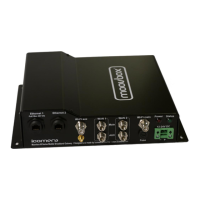
not using diversity connect your cellular antenna cables to the Moovbox connectors
marked ‘WAN 1 main’ and ‘WAN 2 main’.
Note: The Moovbox WAN connectors are FME and your antenna cable FME jack
screws inside the bulkhead.
GPS
If you plan to use the Moovbox GPS functionality to enable remote device tracking,
you will need an appropriate GPS antenna. Some cellular antennas are available
combined with a GPS antenna. Connect your GPS antenna cable to the Moovbox
connector marked ‘GPS’.
Note: The Moovbox GPS connector is an SMA. If you plan to use a different antenna
to that supplied, ensure it has an SMA plug
2.8 Choosing a power supply
The Moovbox M220 can be powered either via the ‘Ethernet 1 / PoE’ port using a
Power-over-Ethernet power supply
1
, or via the green 12-36VDC Molex power input.
Choosing the most appropriate supply will depend on your installation.
Note: The ‘Ethernet 2’ port does not support PoE.
If you plan to use the Moovbox indoors and have access to a standard 100-240VAC
power supply, then consider using the optional PoE power supply. If you are using
the Moovbox in a vehicle but require portability, then consider using the 12-36VDC
connector with the optional 12VDC cigarette adapter SKU 3000000004
Note: The Molex power input connector is labeled for positive and negative connec-
tions; ensure that you connect the right polarity to each input. The Moovbox contains
a bridge rectifier in case the connections are accidentally switched thus protecting
your Moovbox.
1
Use only the Icomera M220 certified PoE SKU 3000000049/50.


 To Next Page