Display of -P- Occurs when pressure on the control exceeds 9.9 bar for more than 5
seconds. Pump will attempt restart in 30 minutes.
Display of -A- Occurs when Pump has cut in and cut out at intervals less than 30
seconds for the last 15 starts. Pump will attempt restart in 30 minutes.
Display flashing OL The controller has sensed an overload condition exceeding the
programmed value. The pump will shut down until a manual system
reset occurs.
Press and Hold ON/OFF for 3 seconds. Then press ON/OFF.
Display flashing UL An underload (dry run) condition outside of the programmed value has
occurred. The Auto Restart Cycle will commence and the RED LED
LACK OF WATER will flash.
Display flashing Pr The controller has shut down because the maximum run time has
been exceeded.
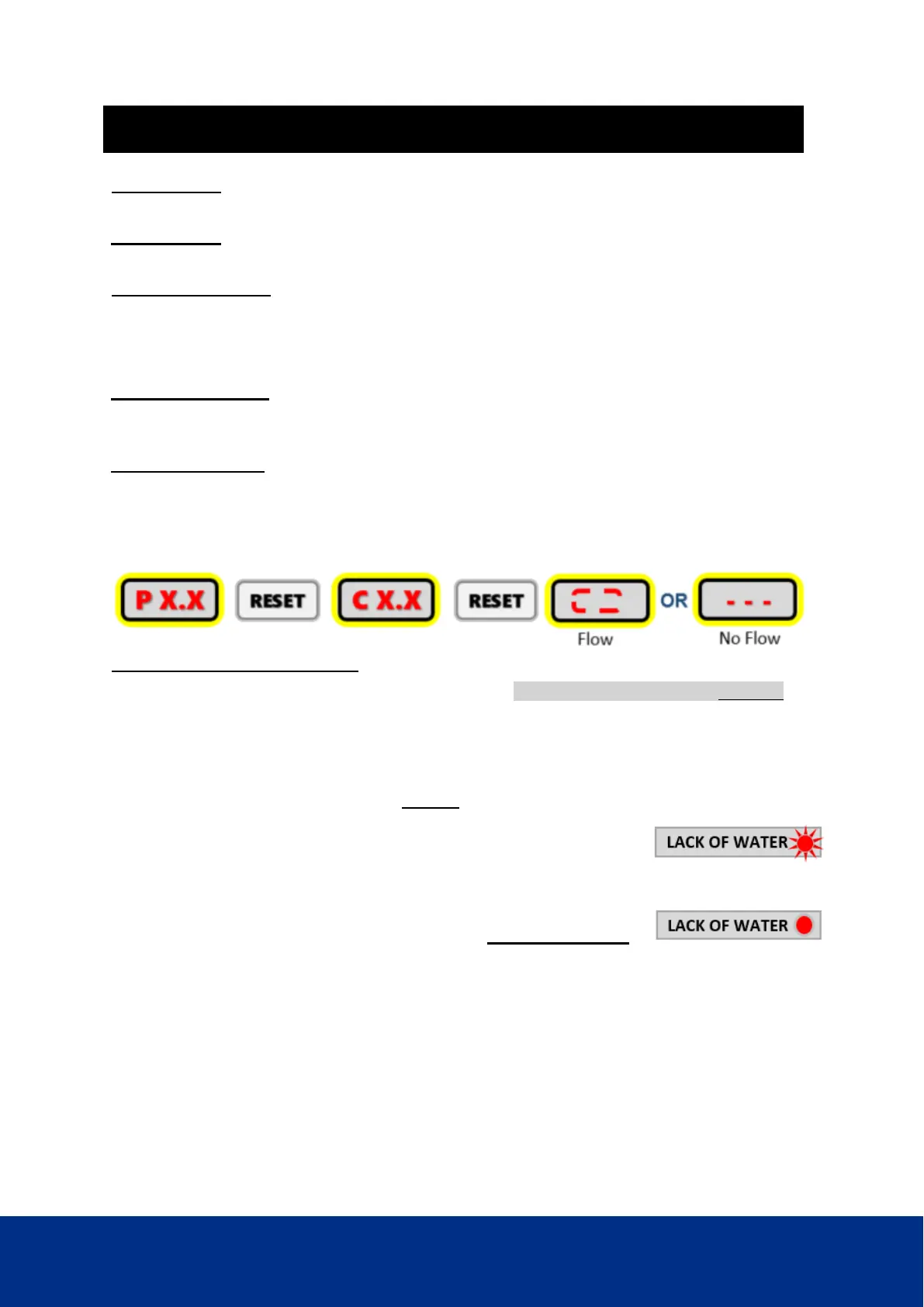
Pushing the RESET button rotates the display indication.
System Pressure / Current Draw / Operational Status.
Underload / Dry Run condition – assumes the Pipe Flow parameter PF is enabled.
The following applies to both Mode 1 and Mode 2 See Programming sequence: Section 9
If there is no water in the tank or a closed supply/suction pipe issue, the iCon NXT Pro
controller will allow the pump to run for 20 seconds with no flow detected before shutting
down.
The RED LED, LACK OF WATER will FLASH and the following sequence will run:
i. Stop for 10 seconds,
ii. Run for 40 seconds, Stop for 10 seconds
iii. Run for 40 seconds, Stop for 10 seconds.
After this sequence, the controller will go into auto restart mode
and the RED LED, LACK OF WATER will stay ON AND STEADY
The controller will repeat this sequence every 24 hours until flow is detected.
To clear any fault or to resume normal operation perform one of the following
• Press and hold ON/OFF for 3 seconds
• Cycle the power to the controller


 To Next Page