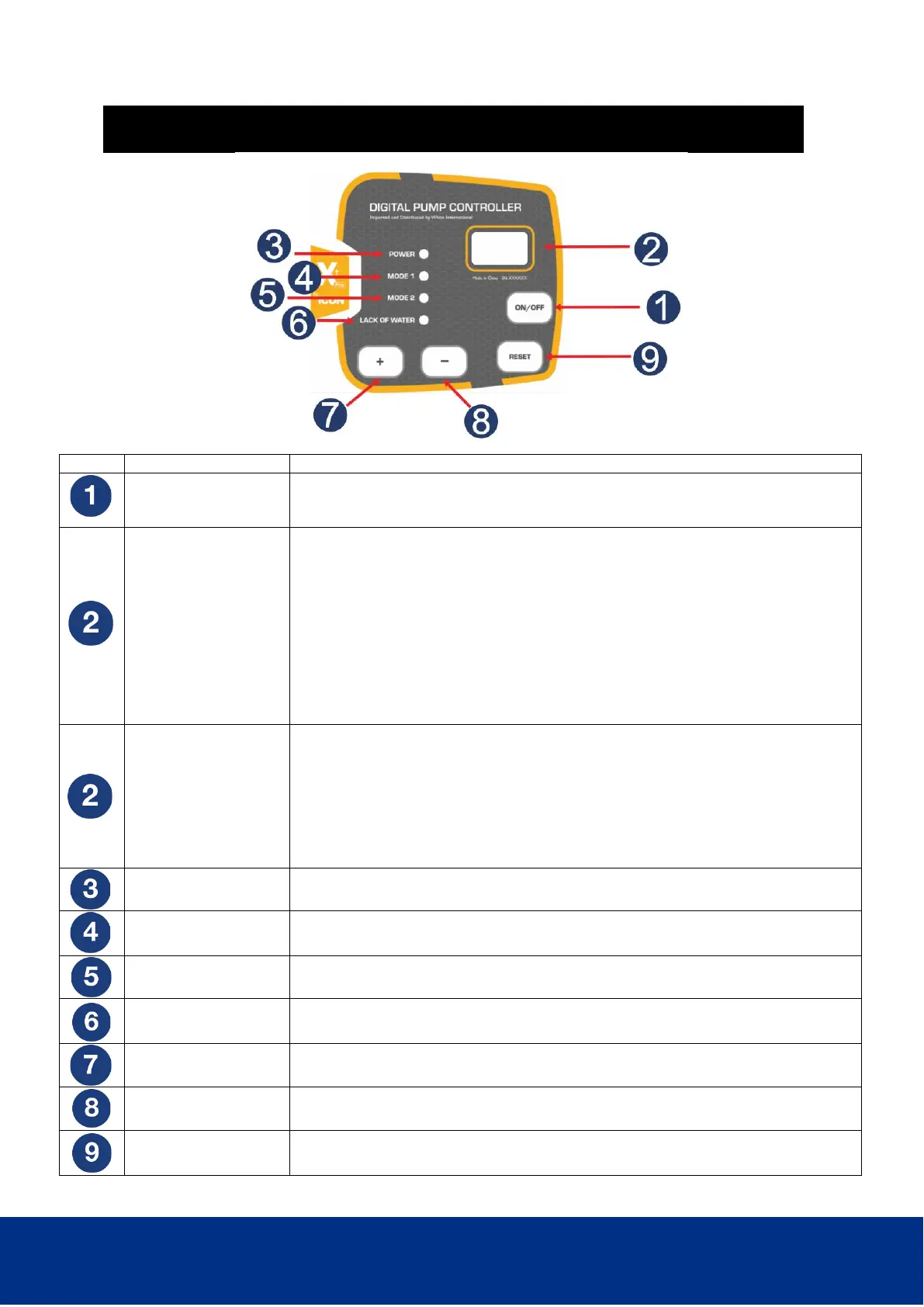
Short button press of ON/OFF turns the pump controller on
Press and HOLD ON/OFF button for 3 seconds to turn the controller off.
Press and Hold ON/OFF for 3 seconds to reset any error messages
DIGITAL DISPLAY
(RUNNING)
PX.X = Real time pressure in Bar
CX.X = Real time current in amps
Symbol moving clockwise = Flow
(quick press of RESET button 9 to change modes)
- - - symbol stationary = No Flow
-P- displayed = Over pressure protection activated
-A- displayed = Frequent start protection active
OL flashing = Overload protection setting
UL flashing = Underload protection setting
PF = Low Flow protection setting
Pr = Max run time protection setting
DIGITAL DISPLAY
(PROGRAMMING)
PX.X = Start and Stop Pressure
CX.X = Current
F1 = Mode 1 (pressure controller) Default cut in 2.2 bar
F2 = Mode 2 (pressure switch) Default cut in 2.2 bar, Default cut out 9 bar
OL = Overload protection setting Default setting C0.0
UL = Underload protection setting Default setting C0.0
PF = Low Flow protection setting Default setting 1 (Enabled)
Pr = Maximum run time setting Default setting 000 (Inactive)
GREEN LED POWER constant – Power connected
Orange LED MODE 1 constant – pump is in precise control mode
Orange LED MODE 2 constant – pump is in precise control mode
RED LED flashing - pump short of water
RED LED constant - pump awaiting 24 hour restart
To increase value of parameter ( Located bottom left, marked +)
To decrease value of parameter ( Located bottom centre, marked -)
To set and save a parameter ( Located bottom right, marked RESET)


 To Next Page